Python APIs: A Beginner’s Guide
“Python APIs” can mean two different things: using Python to request data from an API, or writing an API that other programs can use. This guide focuses on making requests to web APIs, then briefly explains how building one differs. You’ll learn how URLs, HTTP methods, headers, status codes, and JSON fit together, and follow a small example using Python’s standard library.
The core idea is simple: your Python program sends a request to a service, and the service sends back a response. Real APIs may also require credentials, impose request limits, or return errors, so the provider’s documentation matters as much as the code.
What is an API?
An application programming interface (API) is a defined way for one piece of software to interact with another. A web API makes that interaction available over the web. For example, a program might ask a service for information and receive a response it can use.
In a typical API exchange, the client makes a request and the server processes it and returns a response. When you write Python code to contact an existing service, your program is the client. When you create an API, your application acts as the server for other clients.
- Calling an API: Python sends requests to an existing service and uses its responses.
- Building an API: You create a service with routes that accept requests and return responses.
The steps below cover calling an API. The same HTTP and JSON concepts are useful when you later build one.
How does a web API request work?
A request is made up of details that tell the server what you want and, sometimes, who is asking. An API’s documentation defines which details it expects.
- URL: The address of the service or resource. A URL may include a path and query parameters.
- HTTP method: The kind of operation being requested.
GETcommonly requests data; other methods, such asPOST, are used for different operations according to the API. - Headers: Extra request information, such as the format expected or an authorization credential, when the service requires one.
- Status code: A number in the response indicating how the request went. A successful response and an unsuccessful one require different handling.
- Response body: The returned content. Many web APIs use JSON, a text format that represents values such as objects, lists, strings, and numbers.
Python’s standard library includes tools for opening URLs, handling URL components, and converting JSON text to Python values. See the Python urllib documentation and Python JSON documentation.
Make a first API request in Python
For a first look without installing another package, you can use urllib.request. The code below shows the shape of a read-only request. The URL is deliberately a placeholder—not a working API endpoint. Replace it with a real endpoint from a provider whose documentation you have checked.
import json
from urllib.request import urlopen
from urllib.error import HTTPError, URLError

url = "https://api.example.com/v1/items"  # Replace with a documented endpoint

try:
    with urlopen(url, timeout=10) as response:
        body = response.read().decode("utf-8")
        data = json.loads(body)
        print(data)
except HTTPError as error:
    print("The server returned an HTTP error:", error.code)
except URLError as error:
    print("The request could not be completed:", error.reason)
except TimeoutError:
    print("The request took too long")
except json.JSONDecodeError:
    print("The response was not valid JSON")
The example sets a timeout so the program does not wait indefinitely for a response. It also separates several common failure cases: an HTTP error response, a connection-related problem, a timeout, or content that cannot be parsed as JSON. The urllib.request reference documents the standard-library interface and its request-related behavior.
For APIs that require headers, use a Request object rather than passing a bare URL:
from urllib.request import Request, urlopen

request = Request(
    url,
    headers={"Accept": "application/json"},
    method="GET",
)

with urlopen(request, timeout=10) as response:
    body = response.read().decode("utf-8")
Only add headers the API documentation calls for. If a service requires an API key, keep it out of code you share or publish; follow that provider’s instructions for supplying credentials securely.
Read and use the JSON response
json.loads() converts JSON text into ordinary Python values. A JSON object becomes a dictionary, and a JSON array becomes a list. After parsing a response, inspect its structure before assuming which keys it contains.
data = json.loads(body)

# Example access pattern; use keys documented by the API.
if isinstance(data, dict) and "results" in data:
    for item in data["results"]:
        print(item)
The results key here is illustrative, not a claim about a particular service. An API could return a different structure, such as a list directly or an object with other keys. Check the provider’s response examples and handle missing or unexpected fields rather than assuming every response has the same shape.
Handle errors and real-world API limits
A successful connection does not guarantee that the request did what you intended. A server can return an error status, the network can fail, or the response can differ from what your program expects. Build in checks before relying on returned data.
Use timeouts and handle HTTP errors
A timeout places a limit on how long your program waits for a response. Catching HTTPError and URLError helps distinguish a server response error from a problem reaching the service. You may also want to log useful diagnostic details while avoiding logging passwords, tokens, or other secrets.
Check authentication requirements
Some APIs are public; others require an account, an API key, or another form of authentication. The required method and where to put credentials are specific to the provider. Never assume that a credential belongs in a URL or use an authentication example from another API without checking the current documentation.
Use query parameters correctly
Query parameters are values added to a URL to filter, search, or otherwise shape a request. Their names and meanings are defined by the API. When constructing a URL in Python, use urllib.parse.urlencode() to encode parameter values rather than joining arbitrary text into a URL by hand. The official urllib modules guide describes URL handling tools.
Plan for pagination and rate limits
Some services return a large result in multiple pages. Others limit how often you can make requests. Pagination methods, rate-limit thresholds, and any response headers that describe a limit vary by provider. Read the API’s current documentation, follow its instructions, and avoid sending repeated requests in a tight loop.
What if you want to build an API?
Building an API reverses the direction of the work: instead of requesting another service’s data, you write a server application that receives requests and sends responses. A framework can help organize routes, input handling, and responses. The right choice depends on the project and the framework’s current documentation; the research available for this guide does not establish one universally best framework for beginners.
Do not treat Python’s built-in http.server as a production web server. Python’s documentation says it is not recommended for production because it implements only basic security checks. It can be useful to understand basic server concepts, but a real service needs an appropriate framework and deployment setup. Read the http.server documentation for that limitation.
If you have Python fundamentals and want to explore a complete web application that includes a Python API, Full Stack FastAPI, React, and MongoDB covers FastAPI alongside a React frontend and MongoDB. It is aimed at readers interested in how those components fit together, rather than someone who only needs to make a first request to an existing API.
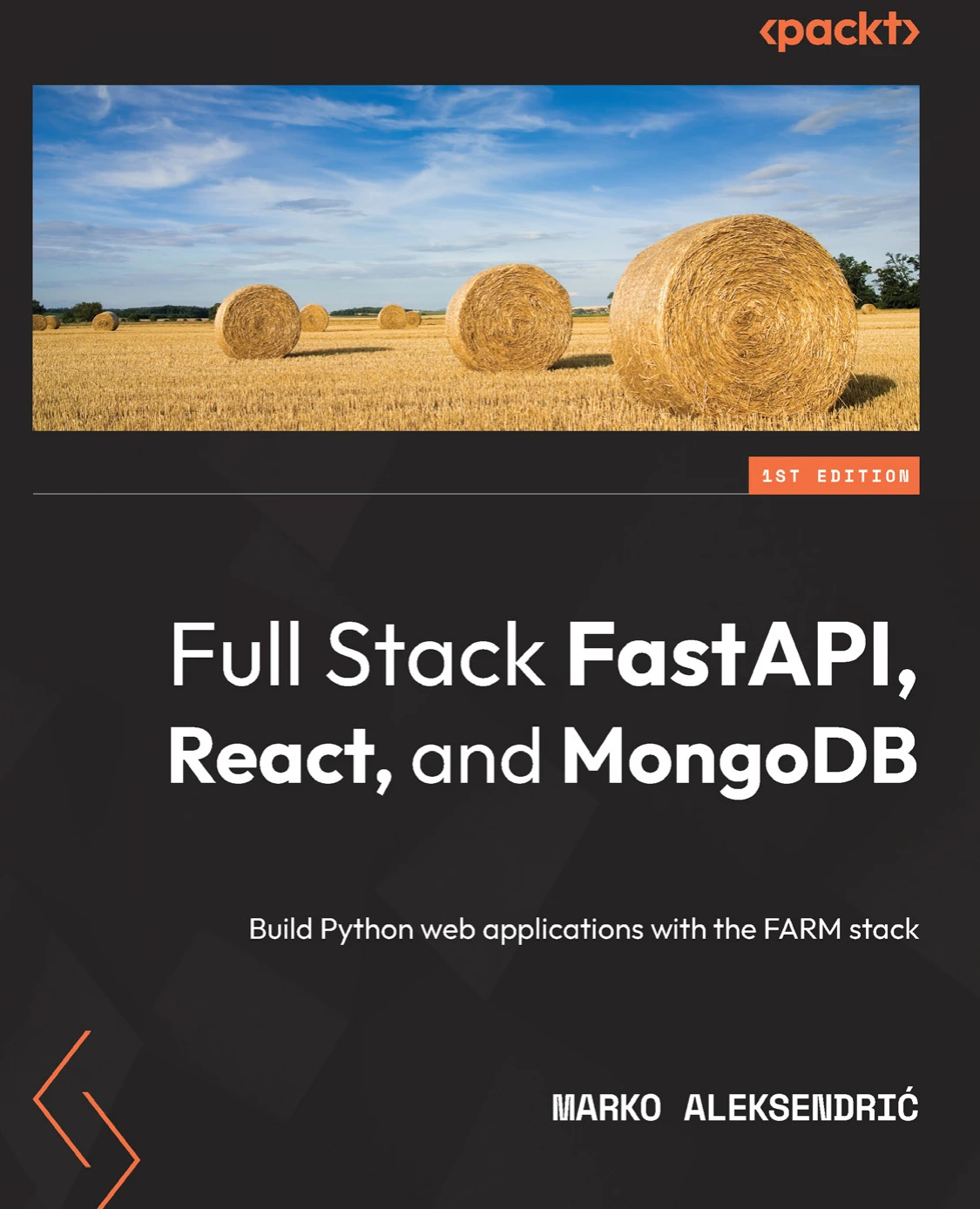
Full Stack FastAPI, React, and MongoDB: Build Python web applications with the FARM stack
Readers who know Python basics and want to explore how FastAPI, React, and MongoDB fit together.
Common beginner mistakes
- Treating every API as identical. Methods, parameters, authentication, response fields, and limits vary by service. Follow the documentation for the specific API.
- Skipping error handling. A request can fail, or return a response your code cannot use. Handle expected exceptions and validate the data you receive.
- Assuming JSON has a fixed structure. Inspect the response and check for keys before accessing nested values.
- Leaving out a timeout. A request that waits without a time limit can leave a script stalled. Choose a timeout appropriate to your task.
- Exposing credentials. Do not publish keys in a public code repository or include them in examples shared with others.
- Sending too many requests. Check the provider’s rate-limit rules and build your program to respect them.
A small practice project
Choose an API whose documentation clearly explains a read-only endpoint and whose terms allow the use you have in mind. Then make a small script that:
- Builds a request using the documented URL and any required parameters.
- Sends it with a timeout.
- Handles request and HTTP errors.
- Parses the response as JSON.
- Checks that expected fields exist before displaying a few values.
Keep the first version narrow. Once it works, add one feature at a time—for example, another documented query parameter or a simple way to save selected results. This makes it easier to identify whether a problem comes from the request, the response, or your parsing code.
Frequently asked questions
Do I need to know Python before learning APIs?
Basic familiarity helps. It is useful to understand imports, functions, dictionaries, lists, exceptions, and how to run a Python script. If those topics are new, begin with core Python concepts before adding HTTP requests and response handling. The official Python Tutorial introduces the language’s core concepts.
Should I use urllib or Requests?
urllib is included in Python’s standard library, so it can demonstrate a request without an additional dependency. Python’s documentation describes it as a lower-level interface and points to Requests as a higher-level alternative. That is a tradeoff, not proof that one option is best for every learner or project. Start with the approach that suits your learning goal, then check the tool’s documentation.
Is calling an API the same as building one?
No. Calling an API means your program sends a request to a service that already exists. Building one means creating a service that handles requests from clients. Both involve concepts such as HTTP and JSON, but the code and responsibilities differ.
Where should I find authentication and rate-limit instructions?
Use the current documentation for the API provider you plan to call. Those instructions are not universal: authentication methods, pagination, and request limits can differ between services and may change over time.
Next steps
Start by getting comfortable with one documented, read-only endpoint. Learn to form its request, set a timeout, inspect the status and response, and parse JSON without assuming its structure. When you are ready to explore the server side, study a framework using its official documentation and keep learning demos separate from production services.
For more programming titles, browse the Python resources at Digital Delights and choose a learning resource that matches your next goal.
Sources and further reading
- urllib — URL handling modules, Python documentation.
- urllib.request — Extensible library for opening URLs, Python 3.13 documentation.
- http.server — HTTP servers, Python documentation.
- The Python Tutorial, Python documentation.