What Is the Best Order to Learn Python Topics?
The best order to learn Python is a gradual one: get a program running, learn the language’s basic building blocks, practise making decisions and repeating actions, then organize your code and use it in small projects. After that, add topics such as classes, testing, and specialist libraries when they help you solve a real problem.
There is no proven sequence that works best for everyone. Beginner courses arrange topics differently, and the right path depends partly on whether you are new to programming or simply new to Python. Use the roadmap below as a flexible guide—not a checklist you must follow perfectly.
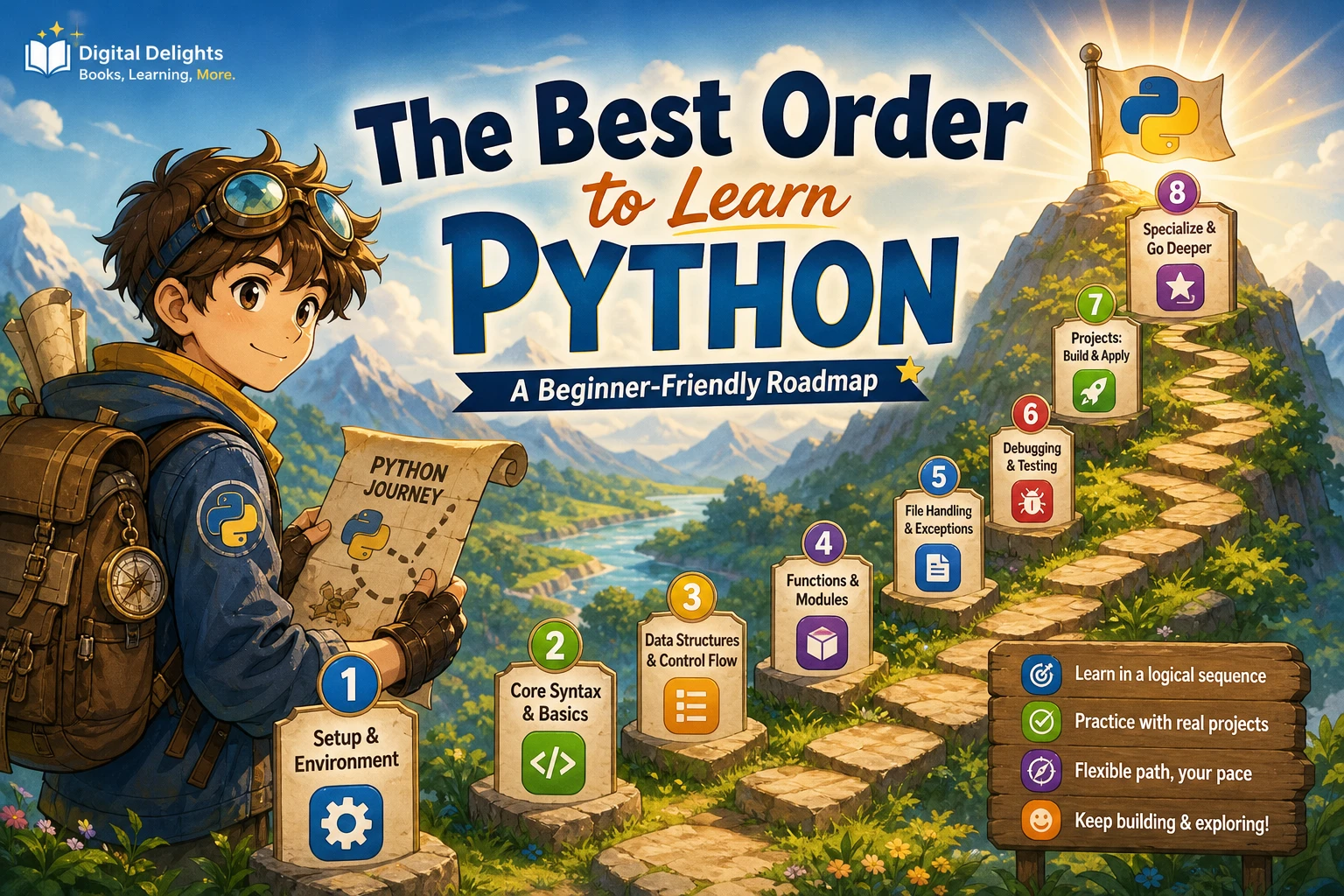
A practical Python learning roadmap
- Set up Python and run a short program.
- Learn variables, basic data types, expressions, and strings.
- Practise conditionals, loops, and core collections.
- Write functions and learn to investigate errors.
- Work with files, exceptions, and modules.
- Build small projects, then learn classes, testing, and packages as needed.
- Choose a direction such as automation, data work, or web development.
If you already know another programming language, you can move more quickly through familiar ideas. The official Python tutorial is intended for people new to Python who already have some programming knowledge, so complete beginners may prefer a more introductory first resource.
1. Set up Python and run your first programs
Start with a working environment rather than trying to learn every setup option. Install a current Python 3 release, choose an editor or beginner-friendly development environment, and learn how to run a short script. You should be able to save a file, run it, change a line, and see what happens.
Begin with simple input and output. For example, print a greeting, ask for a name, and display a response. This gives you an early feel for the basic cycle of writing code, running it, and checking the result.
- Know where your Python files are saved.
- Run a script from your chosen editor or terminal.
- Try small changes instead of copying a long program without understanding it.
For an absolute beginner looking for a gentle introduction to Thonny, variables, constants, and simple exercises, Python for the Greenhorns Book-1 is one catalog-listed option.
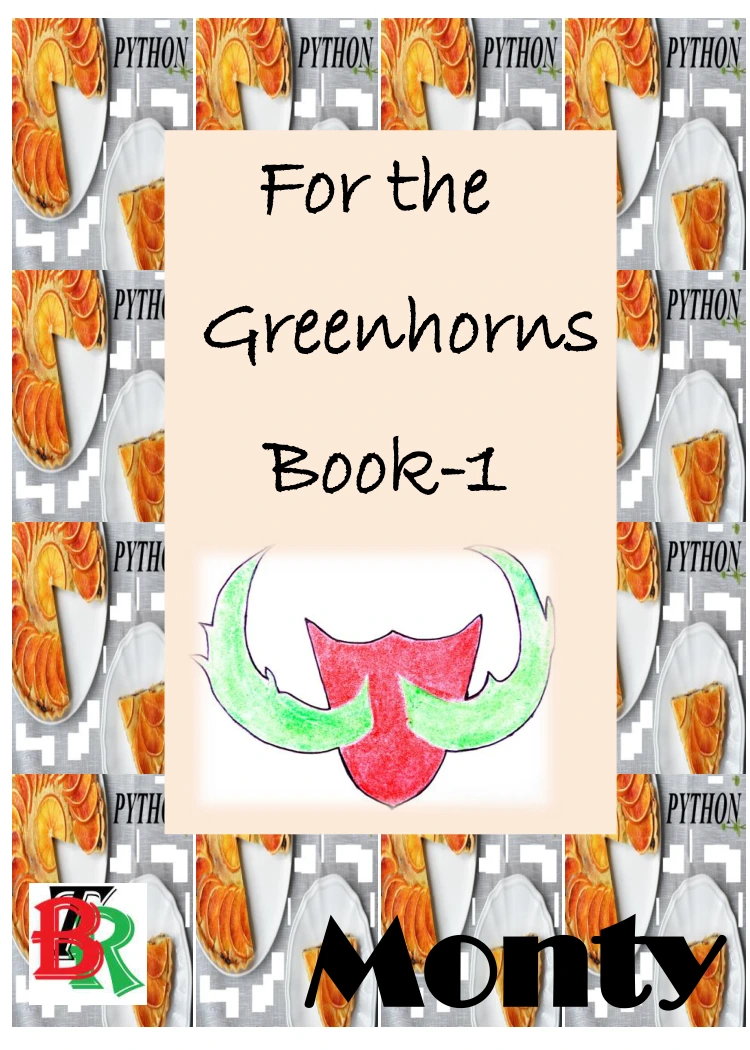
Python for the Greenhorns Book-1
By Monty
Absolute beginners looking for an introduction to Thonny, variables, constants, and simple exercises.
2. Learn variables, data types, expressions, and strings
Once you can run a program, learn how it represents and works with information. Start with variables and common types such as numbers, strings, and Boolean values. Then practise expressions, comparisons, and basic input conversion.
Strings deserve early attention because many small programs ask for, combine, or display text. Practise joining text, formatting output, and converting user input when you need to treat it as a number.
At this stage, aim to understand what each line does. You do not need to memorize every built-in feature before moving on; return to details as you use them.
3. Add conditionals, loops, and collections
Control flow lets a program choose what to do and repeat work. Learn if and else conditions, then practise for and while loops. Use small examples: classify a number, repeat a prompt, or calculate a running total.
Alongside these ideas, learn Python’s main collections:
- Lists hold an ordered group of items you may change.
- Tuples hold an ordered group of items that is generally treated as fixed.
- Dictionaries associate keys with values.
- Sets hold distinct items and are useful when uniqueness matters.
There is room to change the order here. Some introductory courses teach lists before conditionals, while others cover conditionals, loops, and functions before lists and dictionaries. These different course outlines show that more than one sequence is used; they do not establish that one order produces better learning outcomes. Choose the order that makes the exercises in front of you easier to understand. (See Python Crash Course, 3rd Edition.)
4. Write functions and practise debugging
Functions let you give a task a name and reuse it. Learn how to define a function, pass it information through parameters, and return a result. A useful first step is to take a repeated block of code in one of your exercises and turn it into a function.
Make debugging part of learning, not a separate advanced subject. Read the error message, find the line it points to, and check what the program received and expected. Try one change at a time so you can tell whether your fix helped.
- Reproduce the problem with the smallest example you can.
- Check variable names, types, indentation, and input values.
- Use temporary print statements to inspect what the program is doing.
- Run the program again after a small change.
A structured introduction that moves from statements and control flow to functions, modules, collections, and file handling is Introduction to Python Programming. Its catalog description also includes programming practice and an introduction to data science.
Introduction to Python Programming
By Udayan Das
Learners seeking a broad introduction spanning programming foundations, practice, and an introduction to data science.
5. Work with files, exceptions, and modules
After you can write short programs with functions and collections, try tasks that use information beyond a single run. Learn to read from and write to files, and understand how exceptions help a program respond to problems such as a missing file or invalid input.
Modules help you organize code and use features provided elsewhere. Begin by importing a standard-library module in a small program. Later, learn how to split your own code into modules when a project grows beyond one file.
These topics turn basic exercises into useful tools: for example, a script that reads a text file, processes its contents, and saves a result. Focus on the parts your current project needs rather than trying to study every library at once.
6. Build small projects, then expand your toolkit
Projects give the concepts a purpose. Keep the first ones small enough to finish, and use them to practise several skills together. Possible starting points include:
- A command-line quiz that tracks a score.
- A simple expense or reading log saved to a file.
- A folder-organizing script, after you understand file paths and basic file operations.
- A text-based guessing game using conditions, loops, and functions.
When a project needs more structure, learn classes and object-oriented programming. When you need to check that changes have not broken existing behavior, explore testing. Packages and additional development tools also make more sense once you have a task that calls for them. You do not need to master every advanced topic before building something useful.
For readers ready for a broad reference and substantial practice, Ultimate Python Programming covers fundamentals through topics including functions, modules, files, and object-oriented programming. Its catalog listing describes more than 650 programs, 900 practice questions, and five projects, and says the code was written and tested with Python 3.11.
Learners who want a broad Python reference with programs, practice questions, and projects.
7. Choose a Python direction
After you can write and debug small programs, choose a path based on what you want to make. You can keep learning general programming, or deepen your skills in a particular area.
| Learning goal | What to explore next | A useful first project |
|---|---|---|
| Automation | Files, folders, command-line arguments, and relevant standard-library modules | Rename or sort a set of files in a test folder |
| Data work | Tabular data, visualization, and statistics, alongside Python fundamentals | Summarize a small, clean dataset |
| Web development | HTTP and a Python web framework, after you are comfortable with functions and modules | Build a small page or basic data-entry app |
| General programming | Problem-solving, data structures, testing, and progressively larger projects | Extend a command-line program with saved data |
If data science is your goal, first get comfortable writing Python programs and working with data structures. Python Data Science is catalog-described as a resource for readers who already know how to program, rather than a first programming course.
Readers who already know how to program and want a Python resource focused on data science.
Common mistakes when learning Python
- Reading without writing code: Pause to try examples and modify them. Reading can explain an idea, but writing helps you notice what you do and do not understand.
- Starting with advanced libraries too soon: A library can make a task easier, but it may also hide the language concepts you are trying to learn. Build enough foundation to understand the examples you use.
- Treating one roadmap as mandatory: If a different topic order helps you complete a project or understand an exercise, adjust the sequence.
- Trying to learn every topic before starting a project: Use a small project to reveal what to learn next.
- Ignoring errors: Error messages are information about what the program did, not a verdict on your ability.
Frequently asked questions
What should I learn first in Python?
Set up Python, run a short script, and learn variables, basic data types, expressions, and strings. Then practise conditionals, loops, collections, and functions through small exercises.
Should I learn Python basics or programming basics first?
If you have never programmed, choose an introduction designed for complete beginners and learn general ideas such as variables, decisions, repetition, and functions alongside Python syntax. If you already know another language, you can focus more directly on Python’s syntax and conventions. The official Python tutorial assumes some prior programming knowledge.
When should I learn classes in Python?
Learn enough about functions, collections, and modules to write small programs first. Move on to classes when a project has related data and behavior that would benefit from being organized together. You can encounter the basics earlier if your course introduces them, but advanced object-oriented design is not a prerequisite for every beginner project.
What is a good first Python project?
Pick a small task you can describe in a few steps, such as a quiz, a text-based game, or a log saved to a file. Start with a simple working version, then add one feature at a time. Choose a project that uses topics you have begun learning rather than one that depends on several unfamiliar libraries.
Conclusion: follow a flexible sequence
A useful order is setup, core syntax, control flow and collections, functions and debugging, files and modules, then projects and topics chosen for your goals. Treat that sequence as a starting point, not a rule: course outlines differ, and the evidence available does not show that one curriculum order is best for every learner.
Keep your next step small and specific. Run a program, change it, investigate what happens, and use the next project to decide what to learn next. If you want a structured reading companion, Digital Delights’ catalog includes beginner introductions and more advanced Python resources for different stages of that journey.