How to Learn Python Modules and Packages
As a Python program grows, keeping every function in one file makes it harder to find, reuse, and maintain code. Modules and packages give you a way to split a program into manageable parts: a module is a Python file, while a package organizes related modules under a shared name.
To learn them, start with basic comfort using Python files, functions, and running scripts. Then import a second file, arrange several files into a package, practise absolute and relative imports, and learn to diagnose a missing-module error. This guide walks through that progression with a small example.
Start with a Python module
A Python module is a file containing Python code, usually saved with a .py extension. It can define functions, classes, and variables that another file can import and use. Modules help you separate responsibilities instead of keeping an entire project in one long script. The official Python tutorial on modules introduces this idea with examples.
Create two files in the same folder. The first, greetings.py, contains a reusable function:
def greet(name):
    return f"Hello, {name}!"
In a second file named main.py, import the module and call the function:
import greetings

message = greetings.greet("Mina")
print(message)
Run main.py from the folder containing both files. The expression greetings.greet means “use the greet name defined in the greetings module.” Keeping the module name visible can make it easier to see where a function comes from.
Compare two common import styles
You can also import a particular name directly:
from greetings import greet

print(greet("Mina"))
Both forms are useful. import greetings keeps the module prefix, while from greetings import greet lets you use greet directly. When practising, use one style consistently within a small example so it is clear which names came from another file.
Build a small Python package
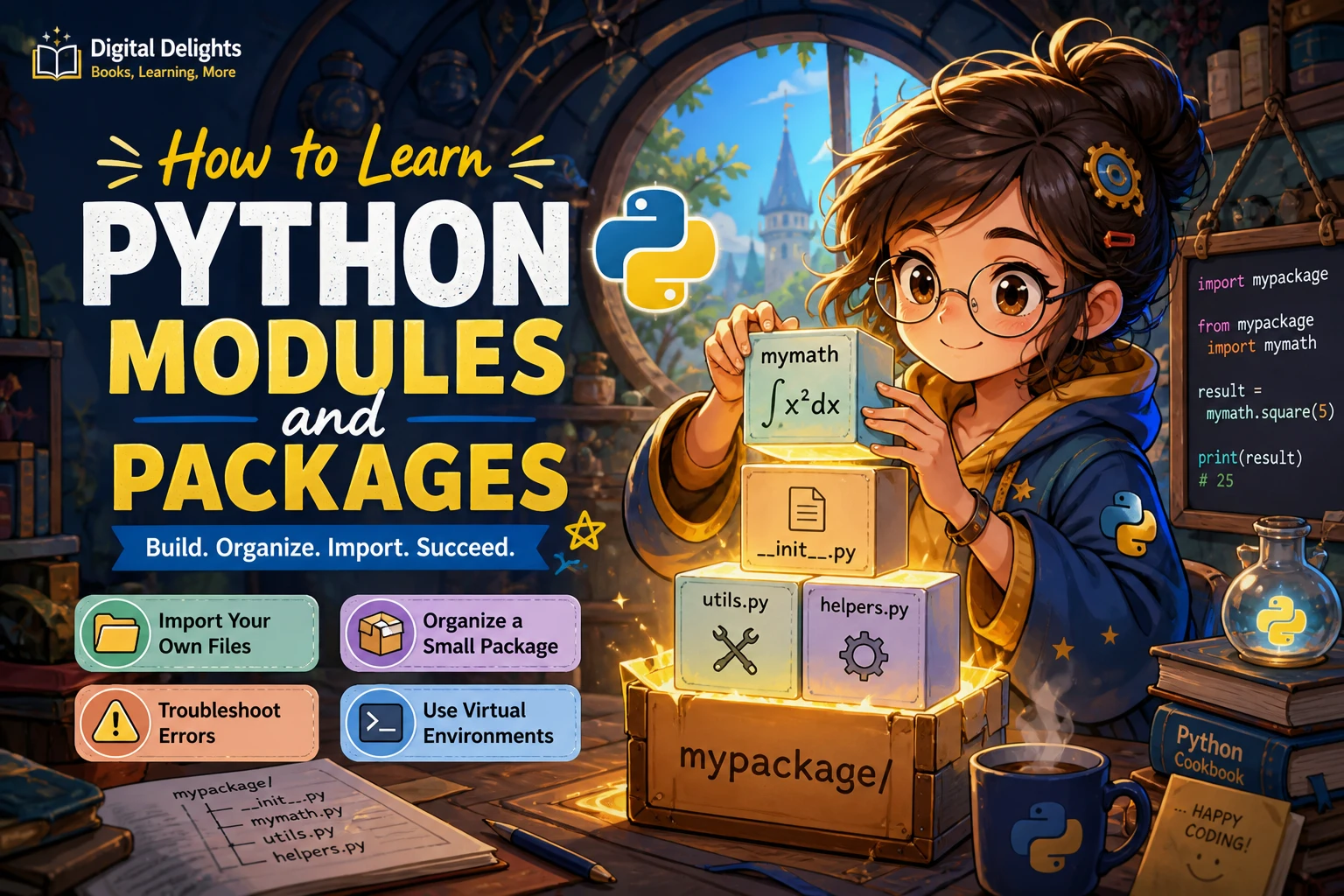
A package groups related modules so a project can grow beyond a few files. Its modules can be addressed using dotted names, such as text_tools.formatters. A common beginner layout looks like this:
my_project/
    main.py
    text_tools/
        __init__.py
        formatters.py
        validators.py
Here, formatters.py and validators.py are modules inside the text_tools package. In main.py, import a function with its full package path:
from text_tools.formatters import make_title

print(make_title("learning python"))
The example assumes formatters.py defines make_title. A typical regular package includes an __init__.py file; it may be empty at first. Namespace packages are an advanced exception and can be created without that file, so do not treat __init__.py as an absolute requirement for every possible package. The Python tutorial describes the common package structure and points to namespace packages for further study.
Understand dotted imports
With from text_tools.formatters import make_title, Python looks for the formatters module within text_tools and brings the named function into the current file’s namespace. Alternatively, import text_tools.formatters imports the module, which you can refer to using its dotted name.
For a first package, keep each module focused on a clear job. For example, put text formatting in formatters.py and input checks in validators.py. You do not need to design a large package in advance; split code when it becomes easier to understand or reuse in separate files.
Learn absolute and relative imports
An absolute import names a module from the package’s top-level location. For example, code in main.py can use from text_tools.formatters import make_title. Absolute imports are often easiest to follow when you are learning because the full path is visible.
A relative import describes a module in relation to the current package. If validators.py needs a helper from formatters.py, it might use:
from .formatters import make_titleThe leading dot means “from this package.” Relative imports depend on Python recognizing the file as part of a package. For a small project, begin with absolute imports; try relative imports once your files are arranged within a package and you understand how that package is being run. The Python modules tutorial explains both import forms.
What does __name__ == "__main__" do?
Python sets a module’s __name__ to "__main__" when that file is being run as the program’s entry point. This common guard keeps a test or startup action from running just because another file imports the module:
def main():
    print("Run the program here")

if __name__ == "__main__":
    main()
The guard does not, by itself, make a file part of a package. If a package module uses relative imports, running that file directly by its path can leave Python without the package context those imports need. Run it as a module from the project’s appropriate location instead, for example with python -m text_tools.cli if the project has a text_tools/cli.py module. The Python import-system reference provides more detail about imports and package context.
Troubleshoot common import errors
If Python reports ModuleNotFoundError or ImportError, check the project layout and how the program is being started before changing the import statement at random. Python searches locations on its module search path; the import system and package paths are described in the official import reference.
- Check spelling and capitalization. Confirm that the file, folder, and imported name match exactly.
- Check where you run the command. Make sure you are using the intended project folder and entry point.
- Inspect the package layout. Verify that the module is where the dotted import says it should be.
- Look for name collisions. A local file named
json.py, for example, can interfere with importing the standard-libraryjsonmodule. Choose descriptive names that do not duplicate modules you rely on. - Check the active Python environment. A library installed in one environment may not be available in another.
For additional clues, inspect sys.path from the same Python interpreter and environment used to launch the program. It shows locations Python considers when searching for modules. Avoid treating a path change as the automatic fix: first identify why the expected project folder is not being used.
Separate your own modules from installed packages
In everyday Python conversation, “package” can mean either a collection of your project’s modules or a library distributed for installation. These ideas are related but not identical. Importing text_tools.formatters uses code arranged in your project; installing a third-party library adds code to a Python environment so your project can use it.
When you begin using external libraries, create a virtual environment for the project and install dependencies into it. For example:
python -m venv .venv
python -m pip install requests
Activate the environment before working in it. On macOS or Linux, a typical command is source .venv/bin/activate; in Windows PowerShell, use .venv\Scripts\Activate.ps1. The exact command can vary by shell and setup. The Python venv documentation explains how virtual environments provide separate environments for projects.
Installation names and import names are not always identical, so check the library’s own documentation when an import fails. Also, avoid installing dependencies globally just to make one project run: a project-specific environment makes it easier to know which interpreter and libraries the project uses.
Practise with a small refactoring exercise
Use a simple program you already understand, or write one that formats a few names. Start with all the code in main.py, then practise splitting and organizing it:
- Create a function such as
make_title(text)and move it intoformatters.py. - Import that function into
main.pyusingfrom formatters import make_title, then run the program. - Create a folder named
text_tools, moveformatters.pyinto it, and add an__init__.pyfile. - Update the import to
from text_tools.formatters import make_title. - Deliberately misspell
formattersin the import. Read the error, check the folder and filename, correct the spelling, and run the program again. - Add a second module, such as
validators.py, and practise importing between modules in the package.
This exercise helps you connect three separate things: where a file lives, what name you import, and how you start the program. To keep learning after the exercise, The Python Apprentice is a catalog-listed option whose described topics include modules, packaging, and virtual environments. Choose it if you want a broader Python resource that also covers those related subjects; it is not a substitute for testing imports in your own project.
Learners who want a structured Python resource whose described topics include modules, packaging, and virtual environments.
Common mistakes to avoid
- Using broad imports without a reason.
from module import *can make it unclear where names came from. Prefer importing the names you need or using the module prefix. - Confusing a module with a package. A module is typically a Python file; a package organizes modules under a package name.
- Assuming the current folder always explains imports. The search path also depends on how Python is started and which environment is active.
- Running package files in an unintended way. If relative imports fail, check whether you should launch the module with
-mfrom the project context. - Giving local files generic names. Names that match standard-library or installed modules can create confusing import behavior.
- Mixing up installation and importing.
pipinstalls a distribution into an environment;importloads a module in code.
Frequently asked questions
Do I need __init__.py in every Python package?
No. It is usual for a regular package and is useful in a beginner’s package layout, but namespace packages can exist without it. Start with __init__.py for a straightforward regular package and learn about namespace packages later if your project needs them.
What is the difference between a Python module and a package?
A module is commonly a single Python file that provides code to import. A package groups modules under a package name, allowing imports such as text_tools.formatters. A package may contain subpackages too.
Why can’t Python find my module?
Common causes include a misspelled filename or import, running the program from an unexpected location, a package layout that does not match the dotted import, or using a different Python environment from the one where a dependency was installed. Check the error text, project structure, launch command, and active interpreter in that order.
Should I learn modules before installing packages with pip?
It helps to understand local modules and imports first, because they explain how Python finds and uses code. Then learn how to install external libraries and keep them in a project-specific virtual environment. The Python virtual-environment guide is a useful reference for that next step.
Conclusion: learn imports by building something small
Learn Python modules and packages in stages: import a sibling file, split a small program into focused modules, group related modules in a package, and practise running it from the right context. When an import fails, inspect the names, layout, search path, command, and environment instead of guessing. Once local imports make sense, move on to third-party libraries and virtual environments.
For more Python learning resources, browse the Python collection at Digital Delights and choose material that fits the next skill you want to practise.