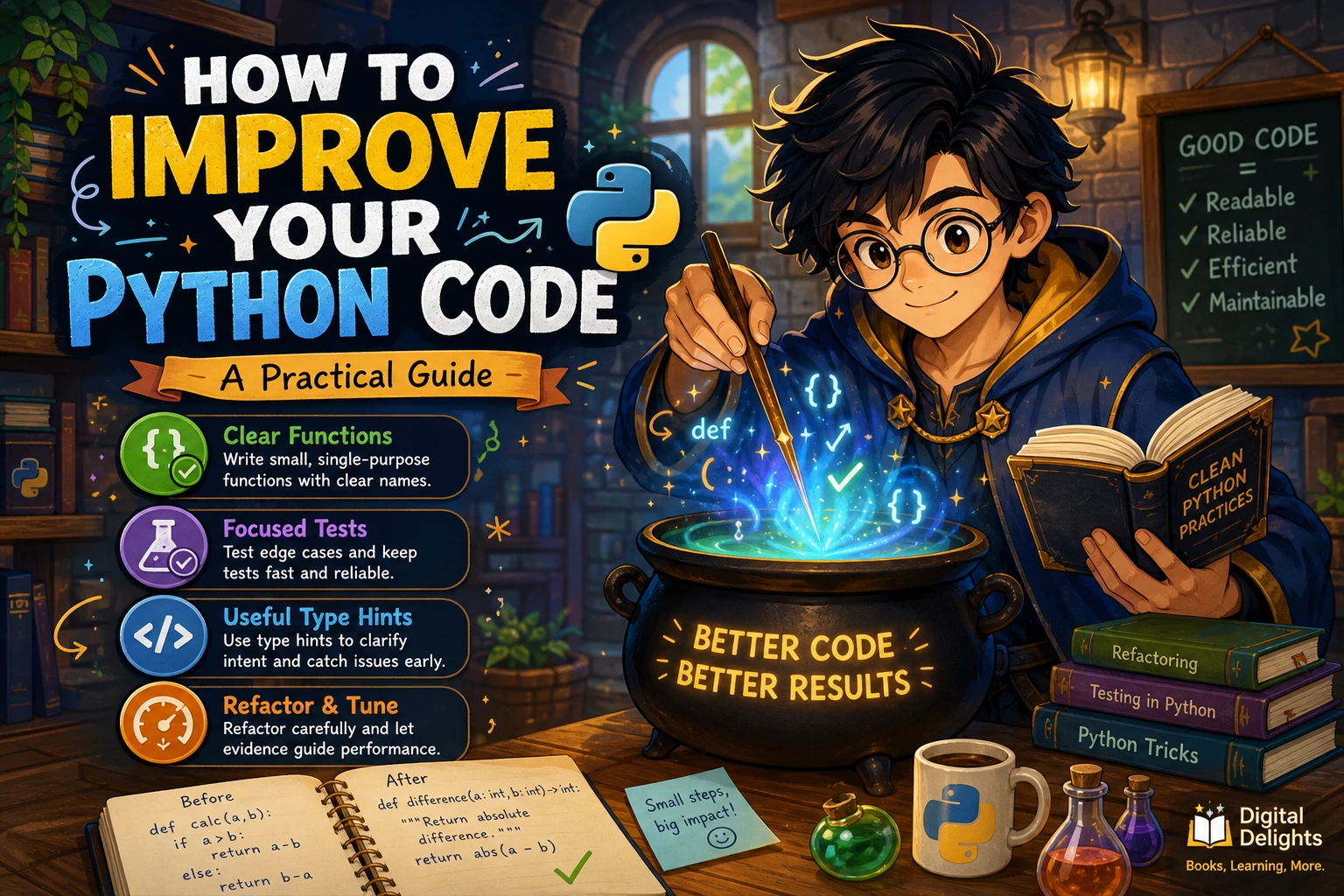
How to Improve Your Python Code: A Practical Guide
Improving Python code is not about adding clever tricks or rewriting everything from scratch. A reliable approach is to make the intended behavior clear, protect it with tests, and then make small changes you can verify. If speed is the goal, measure first so you know which part is actually slow.
This guide covers practical ways to make Python code easier to read, test, refactor, and maintain. You will also learn when type hints are useful, how to avoid common improvement mistakes, and how to investigate performance without guessing.
Start with clear behavior, tests, and evidence
Before changing code, be specific about the problem. Is a function difficult to understand? Does it produce incorrect results on certain inputs? Is a real workload taking too long? The answer determines what to improve.
- Clarify the expected behavior. Describe what the code should do, including important edge cases.
- Add or review tests. Check that the current behavior is understood and that important outcomes are protected.
- Make a focused change. Improve one area at a time rather than mixing a broad cleanup with a behavior change.
- Verify the result. Run the tests and review whether the code is clearer, more reliable, or demonstrably faster.
This cycle keeps code improvement grounded in the needs of the project instead of personal preference or speculation.
Make Python code easier to read
Readable code helps you and other contributors understand what a program is doing. It also makes mistakes easier to spot. Start with straightforward choices before introducing more elaborate patterns.
Choose names that explain intent
Use names that tell readers what a value represents or what a function does. Names such as active_users or calculate_total offer more context than x or do_stuff. Short names can still be suitable for familiar, narrow uses, such as an index in a small loop.
Give functions a focused job
A function is easier to understand when it has a clear purpose. If a function validates input, writes a file, sends a notification, and formats a report, consider whether some of those tasks belong in separate functions. Split code when the pieces have distinct responsibilities—not simply to make every function shorter.
For example, a function that prepares a report might delegate input validation to a small helper. The main function can then describe the sequence of work without making the reader parse every detail at once.
Prefer simple control flow
Use conditions and loops that make the main path easy to follow. Early returns can reduce deeply nested branches when they clarify what happens for invalid or exceptional cases. Avoid clever one-liners if a few ordinary statements communicate the logic more clearly.
Keep formatting consistent
Consistent indentation, spacing, and layout reduce visual friction when reading code. Follow the conventions already used by the project, and avoid unrelated formatting changes in a focused bug fix or refactor. That keeps reviews easier to understand.
Do not add abstractions without a clear benefit
Reusable helpers and classes can make a project easier to maintain, but an abstraction also creates another concept readers must understand. Introduce one when it removes meaningful duplication, clarifies a responsibility, or provides a useful boundary. Do not generalize a simple piece of code just because it might be reused someday.
Test behavior before refactoring
Tests help establish what code should do and provide a way to check that a change has not broken important behavior. Aim tests at outcomes and meaningful edge cases rather than reproducing the implementation line by line.
Cover expected results and important edge cases
For a function that converts a name to a consistent format, tests might check an ordinary name, leading or trailing spaces, and an empty string if that input is allowed. The right cases depend on the function’s contract: test the behavior your program promises, not every imaginable input without reason.
Python’s built-in unittest framework provides test cases, setup and cleanup features, test suites, and runners. It is one option for organizing and running tests; choose a testing approach that fits your project and existing workflow. See the Python unittest documentation.
Keep tests useful during refactoring
A refactor should change the structure of code without changing its intended behavior. Tests that focus on observable results help you check that distinction. Tests coupled to internal details can become brittle: they may fail when implementation changes even though the behavior remains correct.
For a small project, a focused test might look like this:
import unittest


def display_name(name):
    return " ".join(name.split()).title()


class DisplayNameTests(unittest.TestCase):
    def test_normalizes_spaces_and_capitalization(self):
        self.assertEqual(display_name("  ada   lovelace "), "Ada Lovelace")

    def test_empty_name_stays_empty(self):
        self.assertEqual(display_name(""), "")


if __name__ == "__main__":
    unittest.main()
The example checks what callers receive rather than how the function performs its work internally. Adapt test cases to the rules your own application needs.
Use type hints when they help
Type hints can make function inputs and return values easier to understand. They may also help editors and static-analysis tools identify possible mismatches. For example, def display_name(name: str) -> str: communicates that a function expects a string and returns one.
Annotations are not runtime validation by themselves: Python does not automatically enforce them when a program runs. The official typing documentation explains how annotations support type checkers, IDEs, and other tools. If your program must reject invalid data at runtime, add explicit validation where the data enters the system.
Use hints where they clarify interfaces, especially in shared code or functions with less obvious inputs and outputs. A small script may not need detailed annotations everywhere. Choose a level of annotation that helps readers and fits the project’s conventions.
Refactor in small, verifiable steps
Large rewrites make it harder to tell which change caused a regression or whether the result is actually better. Instead, make one coherent change, run relevant tests, and inspect the result before proceeding.
- Identify one source of friction. For example, a confusing name, duplicated logic, or a function with unrelated responsibilities.
- Make the smallest useful change. Keep unrelated behavior and formatting untouched.
- Run relevant checks. Use the project’s tests and any established checks that apply.
- Review the result. Confirm that the code is easier to follow and has not gained unnecessary complexity.
If a refactor makes the code longer or introduces more layers, that does not automatically make it wrong. Ask whether the new structure makes the behavior or responsibilities clearer. If it does not, reconsider the change.
Find bottlenecks before optimizing
Code that looks slow is not necessarily the part that dominates a real workload. Measure a representative task and investigate where time is being spent before changing algorithms or adding complexity.
Python’s profiler documentation describes profiling as a way to examine function costs and call patterns, while also noting limitations in profiler measurements. Treat a profile as diagnostic evidence, not as a definitive benchmark. After identifying a likely bottleneck, benchmark the specific change separately using a repeatable workload. Read The Python Profilers documentation for details.
- Use input that resembles the task you care about.
- Measure the relevant operation before and after a change.
- Keep the comparison conditions consistent.
- Prefer an improvement that is measurable and does not make the code unnecessarily hard to maintain.
Optimization is context-dependent. A small speed improvement may not justify a substantial increase in complexity, particularly if the code is rarely used or is not on a critical path.
Common mistakes when improving Python code
- Optimizing before identifying a bottleneck. First establish where the real workload spends its time.
- Making a function small at any cost. Split code to clarify responsibilities, not to satisfy an arbitrary length rule.
- Testing implementation details instead of behavior. Prefer checks that describe what the code should do.
- Treating type hints as runtime checks. Add explicit validation when runtime safety is required.
- Combining a refactor with several unrelated changes. Keep changes focused so the result is easier to verify.
- Using syntax outside the project’s supported Python version. Check the project’s declared runtime before adopting version-specific features.
A practical Python code review checklist
Before considering an improvement complete, ask:
- Can a reader understand what the code is intended to do?
- Do names describe the data and actions clearly?
- Does each function have a coherent responsibility?
- Are important expected outcomes and edge cases tested?
- Do type hints clarify the interface, and is runtime validation handled separately where needed?
- Did the change stay focused and preserve intended behavior?
- Is the code compatible with the Python version the project supports?
- If performance was the goal, did measurement identify the bottleneck and confirm the change?
Books for improving Python code through practice
If you want a structured way to explore code-quality techniques, Python How-To: 63 Techniques to Improve Your Python Code by Yong Cui focuses on practical Python decisions, including data structures, functions, and type hints. It may suit readers who already write basic Python and want to examine techniques they can apply in everyday development.
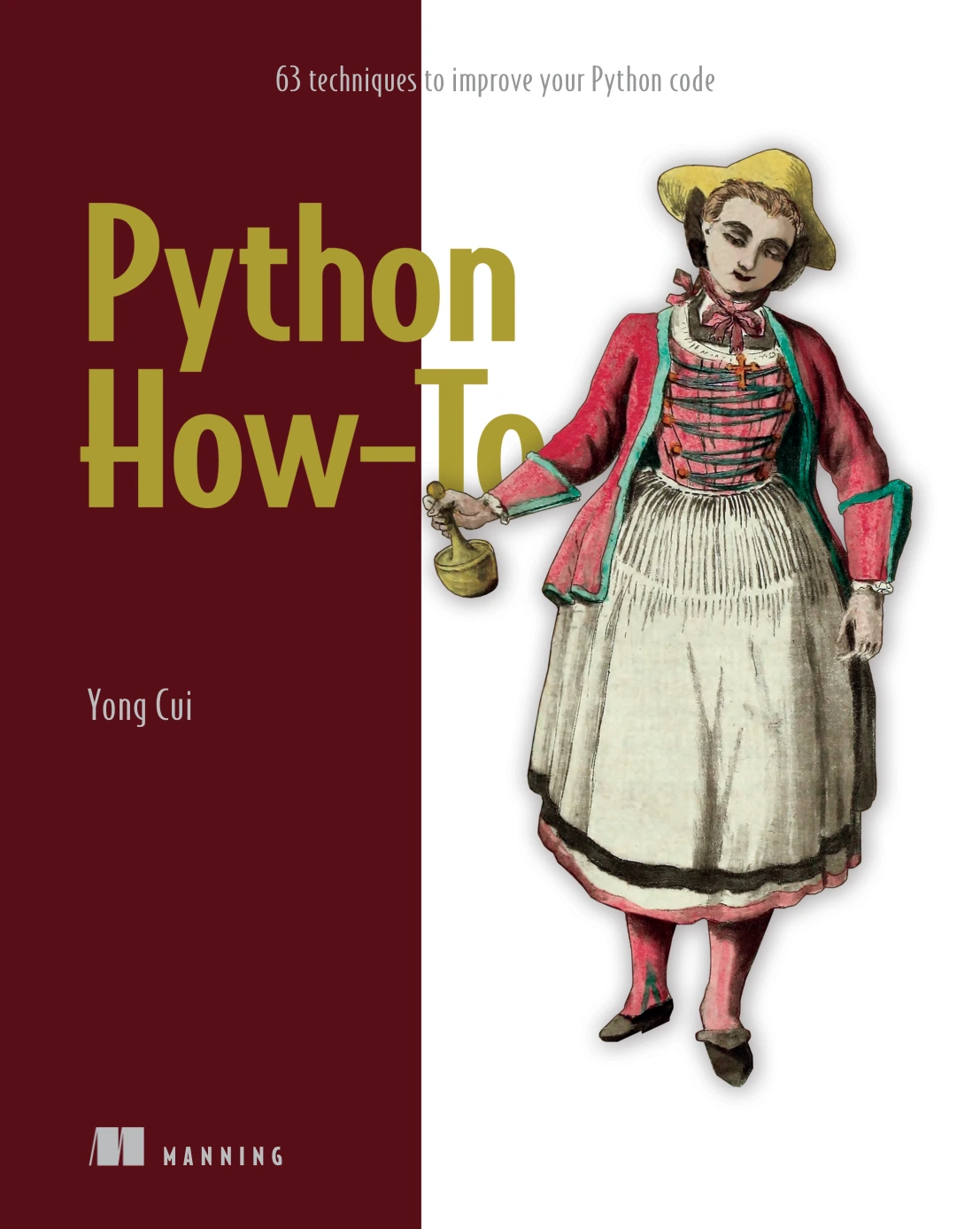
Python How-To: 63 Techniques to Improve Your Python Code
By Yong Cui
Python learners who already know basic programming and want focused techniques for everyday code.
For more exercise-led learning, Python Workout, Second Edition (MEAP V03) by Reuven M. Lerner offers practice across topics such as strings, collections, functions, and files. The catalog identifies it as a MEAP early-access edition, so check the product details to understand the edition before choosing it.
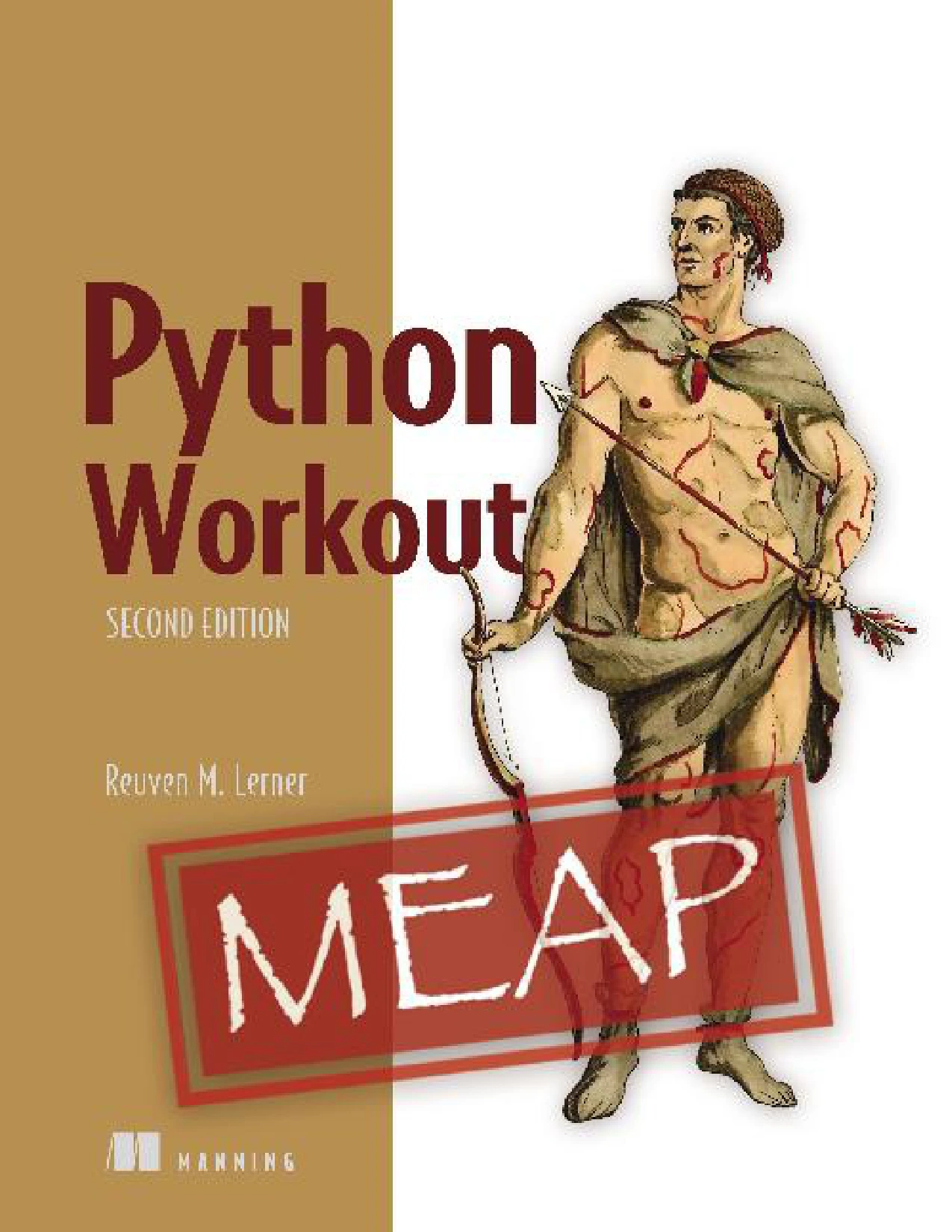
Python Workout, Second Edition (MEAP V03)
Readers who want to practise with problems covering strings, collections, functions, and files.
You can also browse the Python books and learning resources category for other material relevant to your goals.
Frequently asked questions
How can I improve my Python code as a beginner?
Start by using clear names, keeping functions focused, and writing tests for the behavior you expect. Make small changes and run your tests after each one. Once the code is understandable and reliable, explore more advanced techniques where they solve a real problem.
Do type hints make Python enforce data types?
No. Python does not enforce type annotations automatically at runtime. Type hints can communicate intent and support tools such as type checkers and IDEs. Add explicit runtime checks when your application needs to validate incoming data.
Should I optimize Python code before refactoring it?
Not by default. First define what needs improvement. For maintainability, focus on clarity and tests. For speed, profile representative work to find likely bottlenecks, then benchmark specific changes. Avoid making code more complex to address a performance problem you have not measured.
Which Python testing framework should I use?
The supplied sources support unittest as a standard-library option, but they do not compare testing frameworks. Consider your project’s existing tools and conventions, and use focused tests that check behavior and important edge cases.
Conclusion
To improve your Python code, make behavior easier to understand, protect it with useful tests, and refactor in small steps. Use type hints when they clarify code, but do not mistake them for runtime validation. When performance matters, investigate with profiling and verify targeted changes with separate measurements. The best improvement is one that solves a real problem while keeping the code understandable.