The best interactive Python learning resource depends on what you need most: guided explanations, a place to write and run code, exercises with feedback, or a visual explanation of how a program executes. There is no evidence in the available sources that one tool is best for every learner.
A practical starting point is to combine resources rather than expect one course or book to do everything. Use a beginner-friendly guide to learn concepts, an interpreter or browser tool to experiment, and small exercises or projects to practise. Before committing, check prerequisites, setup requirements, device compatibility, and which Python version the material supports.
What counts as an interactive Python learning resource?
“Interactive” can describe several different ways of learning. A tutorial may invite you to run its examples; an online coding environment may let you write code in a browser; an execution visualizer may show how values change step by step; and an interactive textbook may combine explanations with questions or coding activities. These formats support different tasks, so compare their features instead of treating them as interchangeable.
Compare the main types of Python learning resources
| Resource type | Useful for | Check before starting |
|---|---|---|
| Official Python tutorial | Looking up language concepts and following structured explanations | It is written for people new to Python, not necessarily people new to programming; the documentation recommends having an interpreter available for practice. |
| Interactive interpreter | Trying short expressions and commands immediately | You need access to a Python interpreter; some convenience features depend on the version and system. |
| Code visualizer | Seeing how execution progresses through a snippet | Check its current limits and supported features; a visualizer is a practice aid, not automatically a complete course. |
| Interactive textbook or course | Following a sequence of lessons, questions, and coding activities | Confirm that the content is current, works on your device, and matches your experience. |
| Book or digital guide | Getting a planned sequence of explanations and examples to revisit | A book may support study without providing a live coding environment; check separately for companion tools or exercises. |
Interactive Python resources worth considering
Official Python tutorial and interpreter
The official Python tutorial is a useful reference for learning the language’s concepts in a structured way. Its documentation makes an important distinction: it is intended for people who are new to Python, rather than people who are entirely new to programming. If you are starting from zero, you may want a more introductory guide alongside it.
Pair the tutorial with Python’s interactive interpreter. The interpreter lets you try small commands directly, which is useful for checking what an expression returns or testing a short idea before saving it in a program. For example, after learning about string operations, try changing the text or method in a simple expression and observe the result. The official documentation describes features such as input history and tab completion, while noting that availability can depend on the interpreter version or system.
Online Python Tutor and execution visualizers
If code feels like a sequence of invisible steps, a visualizer can help make execution easier to follow. Python.org’s education page describes Online Python Tutor as a browser-based tool that visualizes program execution step by step. That makes it a possible companion when you are tracing variables, loops, or function calls—not proof that it replaces a full course or is more effective than other options.
Try a short example you already understand, then change one line and compare what happens. This keeps the visualization focused: use it to investigate a specific question, such as when a variable changes, rather than expecting it to teach every topic on its own.
Interactive textbooks and resource directories
Interactive textbooks can bring explanations, questions, and coding practice together in a more guided sequence. The Python Software Foundation’s Python in Education resource directory is one place to discover educational materials. Its listings include Runestone resources, but a directory entry is a starting point for investigation—not a quality ranking or guarantee that a course is current.
Before following a course, look for its stated prerequisites, lesson examples, exercise format, and Python version. Try a sample lesson if available. Check whether you can run the exercises on your device and whether the instructions still work; do not assume that every listing offers the same level of feedback or support.
Books and digital guides as structured companions
A book can give you a clear path through fundamentals, worked examples, and problem-solving without being an interactive coding platform. For example, Python for Everyone, 3rd Edition is described as an introduction for readers with no prior programming experience, with problem-solving sections and worked examples. It can provide structure for study, while you use an interpreter or another coding tool to run and adapt examples.
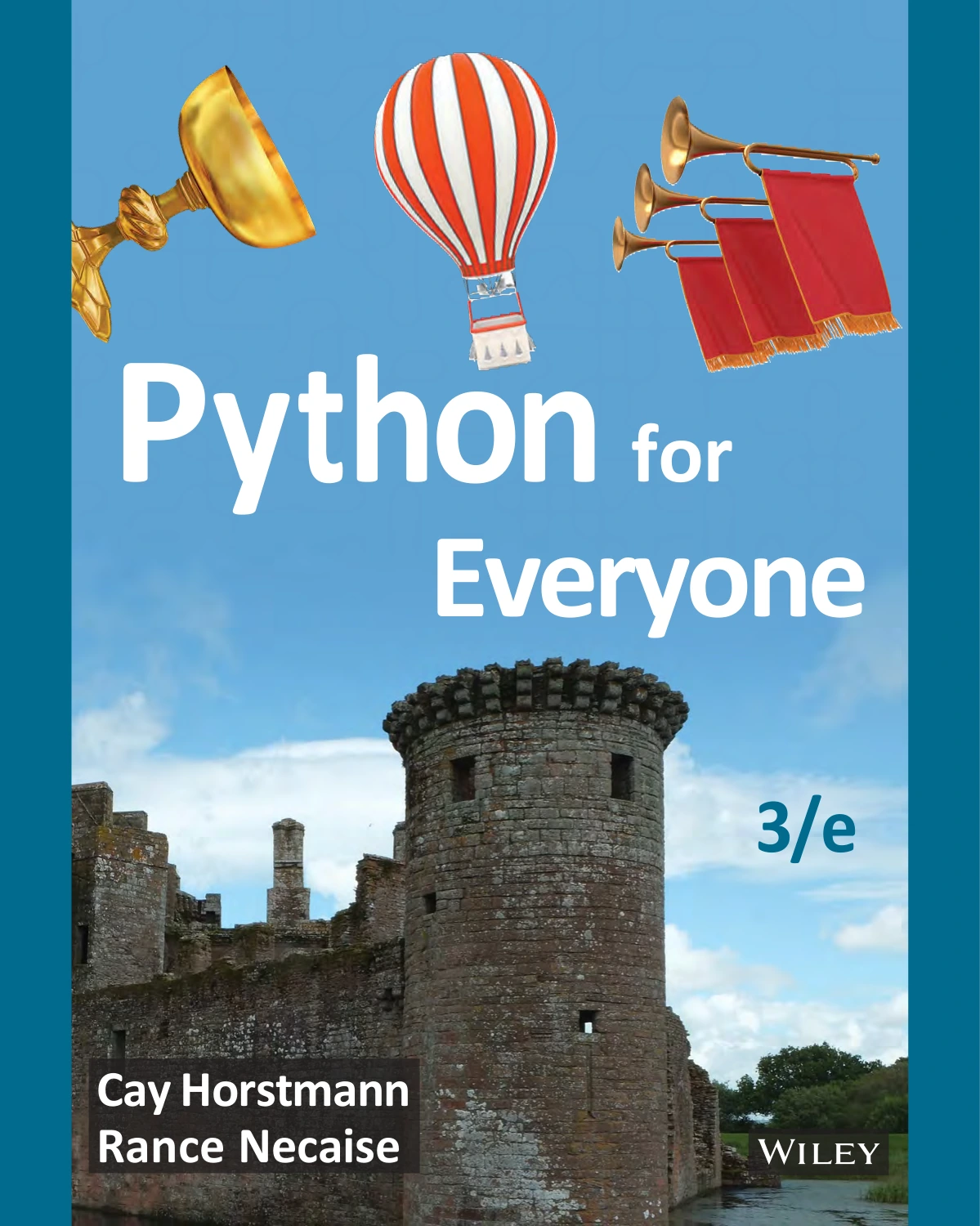
Python for Everyone, 3rd Edition
Readers new to programming who want a planned introduction with worked examples and problem-solving sections.
For a shorter first guide, Python for Beginners: Learn Coding, Programming, Data Analysis and Algorithmic Thinking with the Latest Python Crash Course. A Starter Guide with Tips and Tricks for the Apprentice Programmer covers setup and foundational topics such as data types, loops, and functions. Treat it as a learning guide rather than a browser-based coding environment: the supplied product information does not establish that it includes a live practice platform.
New learners seeking a guide to setup, data types, loops, and functions, while using a separate tool to run code.
You can browse more titles in the Python books and resources category, then choose one that fits the concepts you are studying. Whatever book you use, write and run code alongside the reading instead of treating reading alone as practice.
Choose a resource that fits your starting point
If you are completely new to programming
Start with a resource that explains basic programming ideas as well as Python syntax. Look for clear setup instructions, short examples, and a gradual path through variables, decisions, loops, and functions. The official tutorial can be a helpful reference, but its stated audience means it may not supply all the scaffolding a first-time programmer needs. Pair an introductory guide with short, low-stakes coding practice.
If you already know another language
You may be able to move more quickly through familiar ideas such as variables and loops. Use the official tutorial to check Python-specific syntax and behavior, then spend practice time on topics that are new to you. Confirm that examples use a Python version available to you, especially if you are following older course material.
If you learn by seeing how code runs
Use an execution visualizer to trace small snippets, and use an interpreter to test your own variations. These tools serve different purposes: one can make execution steps visible, while the other lets you interact directly with Python. Neither should be mistaken for a complete learning plan by itself.
A simple routine for learning through practice
- Read one small concept. Choose a single idea, such as a conditional or a list, rather than trying to cover several topics at once.
- Run the example. Use a local interpreter or a suitable browser-based environment, depending on what the lesson supports.
- Change something. Edit an input, value, or condition and predict the result before running the code.
- Solve a small exercise. Try to produce the expected behavior without copying the example line by line.
- Build a tiny project. Combine a few concepts in something manageable, such as a simple quiz, a text-based menu, or a number-guessing game.
- Review errors and results. Read error messages carefully and note what you learned, then return to the relevant explanation if needed.
This routine makes practice part of each lesson. It also gives you a way to judge whether a resource is helping: can you explain the idea, modify an example, and use the concept in a small program?
Common mistakes when choosing interactive Python resources
- Picking a “best” list without checking fit. A resource designed for someone with coding experience may frustrate a first-time learner. Read its prerequisite notes.
- Watching or reading without writing code. Follow explanations by running examples and making changes yourself.
- Assuming browser Python works exactly like a local installation. Browser-based environments can have platform-specific limitations, including around processes and networking. Check the tool’s documentation if a project depends on those features.
- Ignoring version compatibility. Check which Python version a tutorial or exercise expects and whether its instructions still work in your environment.
- Expecting one tool to do everything. A tutorial, a visualizer, an interpreter, and a book can complement one another, but each has a different role.
- Assuming a directory listing proves quality. Treat directories as discovery aids, then inspect the course itself for current lessons, access requirements, and working exercises.
Frequently asked questions
Do I need programming experience to learn Python?
No, but choose material that explains programming fundamentals rather than assuming you already know them. The official Python tutorial is aimed at readers new to Python, not necessarily readers new to programming, so a complete beginner may want a more introductory guide alongside it.
Do I have to install Python to practise?
Not always. Some resources run code in a browser, while a local interpreter gives you another way to try commands and programs. Check the environment’s supported features and any installation requirements; browser environments may differ from a full local setup.
What should I use first: a course, a book, or a coding tool?
Choose based on the gap you need to fill. Use a guided course or beginner book for explanations and sequence, an interpreter for trying code, and a visualizer when you want to inspect execution step by step. A combination is often more useful than searching for one resource that does all three.
How can I tell whether a Python course is current?
Look for a stated Python version, recently working examples, and setup instructions that match the environment you plan to use. The available research does not establish current maintenance details for every listed course or tool, so verify those directly before relying on a resource.
Sources and further reading
- The Python Tutorial — scope, intended audience, and guidance on using an interpreter for practice.
- Interactive Input Editing and History Substitution — interpreter interaction features and version or system caveats.
- EDU-SIG: Python in Education — Python.org’s description of Online Python Tutor as a program-execution visualization tool.
- Python in Education resource directory — a discovery directory for educational resources, not a comparative quality assessment.
Conclusion
The most useful interactive Python learning setup is the one that matches your experience and gives you a way to practise. Start with explanations at the right level, run and modify code regularly, and add a visualizer or interactive textbook if it addresses a specific learning need. Check prerequisites, version support, and setup details before settling into a resource—and treat books as structured companions to hands-on coding, not substitutes for it.