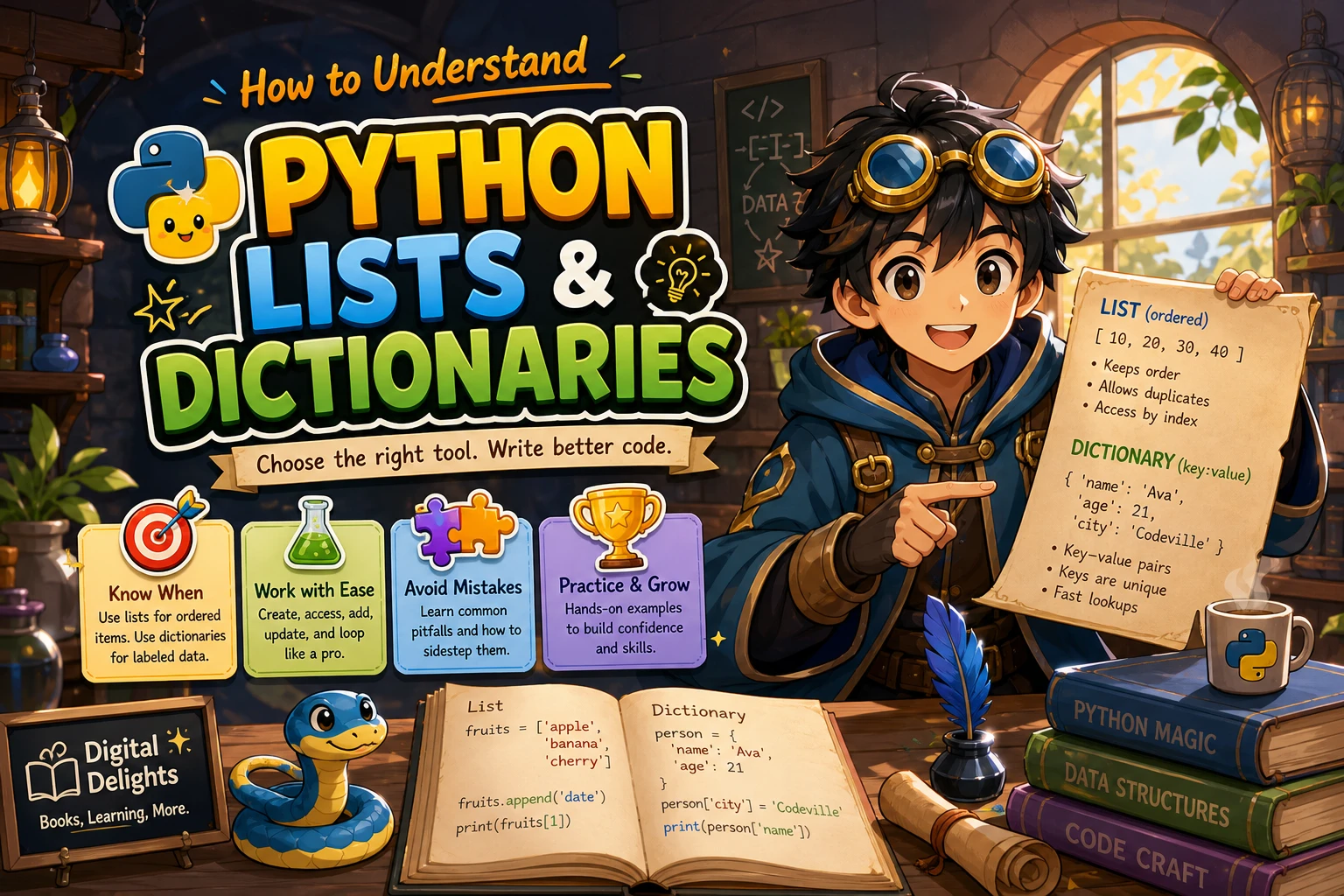
How to Understand Python Lists and Dictionaries
Lists and dictionaries both let you keep related information together, but they organize it differently. A list stores items in order and lets you retrieve them by position. A dictionary connects keys to values, so you retrieve information by a meaningful label. Use a list when order and position matter; use a dictionary when you need to look up a value by a key.
This guide walks through creating, reading, changing, and removing items in each structure. It also compares their uses, explains common beginner mistakes, and gives you a small exercise to practise choosing between them.
What Is a Python List?
A list is an ordered, changeable collection of items. You create one with square brackets, separating items with commas:
tasks = ["read", "practise", "review"]Each item has a position called an index. Python starts counting at zero, so the first item is at index 0, the second at 1, and so on.
Read items with indexes and slices
print(tasks[0])   # read
print(tasks[1])   # practise
print(tasks[-1])  # review
A negative index counts backward from the end: -1 means the last item. You can also retrieve a range of items with a slice. The start position is included, while the stop position is excluded:
print(tasks[0:2]) # ['read', 'practise']Indexes and slices are useful when you know where an item is or want a portion of the sequence. Asking for a list index that does not exist raises an IndexError.
Add, change, and remove list items
Lists can be modified after creation. Use append() to add an item at the end, assign to an index to replace an item, and use methods such as remove() or pop() to take an item out.
tasks.append("plan")       # add at the end
 tasks[1] = "write code"   # replace the item at index 1
 tasks.remove("read")      # remove the first matching value
 last_task = tasks.pop()   # remove and return the last item
In these examples, the leading spaces before three lines are unnecessary if you run the code at the top level; write the statements without them:
tasks.append("plan")
tasks[1] = "write code"
tasks.remove("read")
last_task = tasks.pop()
Be clear about the difference between remove(value), which searches for a matching value, and pop(index), which removes an item by position and returns it. With no index, pop() removes the last item.
Python lists are mutable, meaning their contents can change. They can hold different types of values, although keeping similar kinds of items together often makes a list easier to understand. The official documentation describes list behavior and operations in its built-in types reference.
What Is a Python Dictionary?
A dictionary stores pairs of keys and values. A key identifies the information; its value is the information associated with it. Dictionaries use curly braces, with a colon between each key and value:
learner = {
    "name": "Sam",
    "completed_lessons": 3,
    "active": True
}
Here, "name" is a key and "Sam" is its value. Instead of remembering a position, you can ask for the value using its key.
Read, add, and update dictionary entries
Use square brackets with a key to read its value. Assigning a value to a new key adds an entry; assigning to a key that already exists replaces its value.
print(learner["name"])  # Sam

learner["completed_lessons"] = 4  # update an existing entry
learner["course"] = "Python basics"  # add a new entry
Dictionary keys must be unique. If you assign a value to an existing key, the dictionary keeps that key and stores the new value; it does not create a second entry with the same key.
Handle missing keys and delete entries
If you use bracket notation with a key that is not present, Python raises a KeyError. When a missing key is possible, get() lets you supply a default value instead:
print(learner.get("email"))                 # None
print(learner.get("email", "not provided")) # not provided
Use del to remove an entry by key. You can also use pop() to remove an entry and receive its value:
del learner["active"]
course_name = learner.pop("course")
Dictionaries map hashable keys to values. In practice, common key types include strings, numbers, and tuples containing only hashable values. A list is mutable and cannot be used as a dictionary key. The Python built-in types documentation explains dictionary keys, lookup, and missing-key behavior.
Python Lists vs. Dictionaries: How to Choose
Ask yourself what you will use to find an item. If you want to retrieve it by its place in a sequence, choose a list. If you want to retrieve it by a label or identifier, choose a dictionary.
| Question | List | Dictionary |
|---|---|---|
| How do you look up an item? | By index or position, such as items[0] |
By key, such as record["name"] |
| How is the data organized? | An ordered sequence of values | Key-value associations |
| When is it a natural fit? | A sequence of tasks, scores, or names | A record with named fields or a lookup table |
| What if you repeat a lookup label? | Repeated values can appear as separate items | Keys are unique; assigning an existing key replaces its value |
For example, a list could store the names of tasks:
tasks = ["read", "practise", "review"]A dictionary could store details about one task:
task = {
    "title": "practise",
    "complete": False,
    "priority": 2
}
You can also use a list of dictionaries when you have several records, each with the same kinds of fields:
tasks = [
    {"title": "read", "complete": True},
    {"title": "practise", "complete": False}
]

print(tasks[1]["title"])  # practise
This combines the strengths of both structures: the list keeps the records in sequence, and each dictionary gives a record named fields. For a beginner-friendly introduction that covers Python lists and dictionaries alongside other fundamentals, Introduction to Python Programming is one relevant learning resource in the Digital Delights catalog.
Introduction to Python Programming
By Udayan Das
Beginners who want lists and dictionaries explained as part of a broader introduction that also covers problem-solving and other Python concepts.
Common Beginner Mistakes
Confusing an index with a dictionary key
A list index is a position, usually an integer starting at zero. A dictionary key is a lookup label, such as a string or number. Both use square brackets, but the meaning depends on the object:
colors = ["blue", "green"]
print(colors[0])  # first position: blue

color_codes = {"blue": "#0000ff"}
print(color_codes["blue"])  # key lookup: #0000ff
Expecting repeated dictionary keys to make extra entries
Keys are unique. If a key is assigned more than once, its value is replaced:
scores = {"Lee": 7}
scores["Lee"] = 9
print(scores)  # {'Lee': 9}
If you need to keep multiple scores for one person, use a list as the value:
scores = {"Lee": [7, 9]}Trying to use a list as a dictionary key
This does not work because lists can be changed after creation and are not hashable:
# This raises TypeError:
# lookup = {["north", "south"]: "directions"}
If you need a fixed sequence as a key, a tuple may work, provided its contents are hashable. Choose the data structure based on what the key represents and whether it needs to change.
Overlooking keys that compare as equal
Some values that look like different keys compare as equal in Python. For example, 1, 1.0, and True refer to the same dictionary entry:
values = {1: "first"}
values[True] = "updated"
print(values[1])  # updated
This is an edge case, but it illustrates why keys should be chosen deliberately. The official built-in types reference documents dictionary key behavior.
Useful Patterns and a Short Practice Exercise
Use a list as a stack
A stack returns the most recently added item first. A list works for this pattern: add an item with append() and remove the most recent item with pop().
stack = []
stack.append("page 1")
stack.append("page 2")
current = stack.pop()  # page 2
Use a deque for queue operations at both ends
A queue processes items in the order they arrive. Although a list can represent a simple queue, repeatedly removing items from its beginning requires shifting the remaining items. For efficient additions and removals at both ends, Python’s documentation recommends collections.deque:
from collections import deque

queue = deque(["first", "second"])
queue.append("third")
next_item = queue.popleft()  # first
See the official Python data structures tutorial for the queue example and related guidance.
Practise combining the two
Create a list containing three dictionaries. Give each dictionary a "task" key and a "done" key. Then try these steps:
- Print the task title from the second dictionary.
- Change its
"done"value toTrue. - Add a new dictionary for another task.
- Use
get()to check for an optional key such as"due_date".
As you work, explain why the outer structure is a list and the individual records are dictionaries. If your explanation is “the list keeps a sequence of records, while each dictionary labels the details within a record,” you have the central distinction right.
Frequently Asked Questions
Can a Python list contain mixed types?
Yes. A list can contain values of different types, such as strings, numbers, and booleans. Python allows this, though grouping similar values is often clearer for readers and for the code that processes the list.
Do Python dictionaries keep their order?
Yes. Dictionary insertion order is a language guarantee in Python 3.7 and later. Updating a value does not move its key; deleting a key and adding it again places it at the end. See the official Python data model reference for this version-qualified behavior.
Should I use a list or a dictionary?
Use a list when you need an ordered sequence and will work with items by position. Use a dictionary when you need to associate values with unique keys and look them up by those keys. If your data needs both an ordered collection of records and named fields within each record, a list of dictionaries may fit.
Conclusion
Remember the simplest rule: lists organize values by position; dictionaries organize values by key. Practise creating, reading, updating, and removing entries, and pay attention to whether you are using an index or a key. Once that distinction feels natural, combining lists and dictionaries becomes a straightforward way to represent more useful data.