Best Free Python Courses for Beginners: What to Choose
Choosing free Python courses for beginners is easier once you separate two different starting points: learning programming from scratch, and learning Python after coding in another language. The right resource depends on which describes you—and on whether “free” means a complete course with practice, or simply free access to documentation and learning links.
For someone starting from zero, Python.org’s Python for Beginners page is a sensible starting point, but it is a resource hub rather than a single guided course. If you already understand programming basics, the free official Python Tutorial offers a structured introduction to the language. Its documentation says it is intended for people who are new to Python, not new to programming.
There is no verified evidence here to rank third-party courses objectively or confirm their current pricing and complete access. This guide compares the official resources by their stated purpose, then gives you a practical way to choose and study without mistaking a free starting point for a complete course.
How to choose a free Python course
“Best” depends on what you need from a course. Before committing time to a resource, check these points:
- Starting level: Does it teach programming concepts from the beginning, or assume you already know variables, loops, and functions?
- What is included for free: Is the full learning path accessible without payment, or are only introductory lessons free?
- Practice: Does it ask you to write and run code, or mostly explain concepts? Look for exercises you can attempt yourself.
- How you run code: Can you practise in a browser, or must you install Python and other tools?
- Course currency: Do the setup steps and examples match a stable Python version?
- Extras: Check separately whether feedback, certificates, or additional content cost money. Do not assume they are included just because lessons are free.
The available sources support comparing official learning resources, but do not verify the current costs, syllabus, or lesson access of specific third-party courses. Check those details directly before relying on a course directory’s recommendations.
Free Python learning resources worth considering
1. Python.org’s “Python for Beginners” resource hub
Python for Beginners from Python.org is intended as a starting point for people who may have no programming experience. It points readers toward beginner learning resources, Python installation guidance, and documentation.
What it is: A starting hub for finding your way into Python, not a single course with a defined sequence of lessons, exercises, and completion requirements.
Best fit: A complete beginner who wants an official orientation and is comfortable choosing a next learning resource. If you prefer one clearly sequenced course, treat this page as a directory rather than the course itself.
Check before starting: Follow the links to see what each resource currently offers. A hub may point to material with different teaching styles, formats, and access conditions.
2. The official Python Tutorial
The official Python Tutorial is free documentation that introduces core Python language topics. Its contents include control flow, functions, data structures, modules, files, exceptions, and classes.
Important limitation: The tutorial explicitly says it is designed for people who are new to Python but already have a basic understanding of programming. That makes it a better follow-on for many learners than a first course for someone who has never coded.
Best fit: Learners who have programmed before, or beginners who have already learned basic ideas such as variables, conditions, and loops. If you are completely new to coding, use a resource that explains those ideas first, then return to the documentation as a reference.
3. Python’s Beginner’s Guide wiki
The community-maintained Python Beginner’s Guide distinguishes between people who are new to programming and people who already code. It also lists learning resources, including browser-based possibilities described as free.
Important limitation: The page is a community-maintained list, not an independent assessment of course quality or a guarantee that every listing remains free, complete, or current. The page flags at least one resource as outdated.
Best fit: Learners who want leads to investigate and are willing to confirm each option’s current access, price, syllabus, Python version, and practice format before starting.
Compare the options at a glance
| Resource | Best suited to | Format and practice | Cost and access notes |
|---|---|---|---|
| Python.org: “Python for Beginners” | People beginning programming and Python | Resource hub pointing to beginner material and setup guidance; not one structured course | The hub is an official starting point. Check the access terms of any linked resource. |
| Official Python Tutorial | People who know basic programming and are new to Python | Language documentation covering core Python topics; use it alongside hands-on coding | Free documentation. It assumes some prior programming knowledge. |
| Python Beginner’s Guide wiki | Learners exploring different starting points | Community-maintained directory of learning resources, including browser-based leads | Verify each listing’s current pricing, completeness, and currency; the wiki does not evaluate course quality. |
This is a comparison of purpose and fit, not a ranking. The available research does not establish which third-party course is objectively best or verify the current terms of specific course listings.
Which resource should you choose?
If you have never programmed before
Start with Python.org’s beginner hub to orient yourself, then choose a resource that teaches general programming ideas alongside Python syntax. Look for a clear sequence that explains concepts such as variables, decisions, repetition, and functions, and gives you chances to write code yourself.
Do not begin with the official Python Tutorial simply because it is official. It assumes that you already understand programming basics. You can use it later to explore Python’s features or look up a topic in more detail.
If you have coded in another language
The official Python Tutorial may be a good fit. You can use it to learn Python’s syntax and built-in features, then practise by rewriting a small program you already understand in your previous language.
Keep a note of unfamiliar Python terms and try each example in a Python environment. Reading documentation without running code can make it harder to notice how a concept behaves.
If you want browser-based practice
The Beginner’s Guide wiki lists browser-based learning resources, but those listings are leads rather than endorsements. Open each course and check whether its lessons and exercises are still accessible without payment. Confirm whether a browser is enough for the full course or whether later steps require a local installation.
A practical study plan for learning Python
A course provides direction; regular practice helps you turn explanations into skills. Use this simple loop as you work through a resource:
- Choose one lesson or topic. For example, work on strings, conditions, or loops rather than jumping between several topics.
- Type and run the example. Avoid only reading code. Change a value or input and observe what happens.
- Try a small variation without looking. Modify the example to solve a slightly different problem.
- Write a short program. Combine the idea with something you have already learned, such as a loop and a conditional.
- Review errors carefully. Read the message, find the line it refers to, and test one change at a time.
- Keep a learning log. Record what you practised, what was confusing, and one question to revisit.
Good first projects are deliberately small: a number-guessing game, a basic quiz, a simple expense total, or a program that formats a list of names. Choose a project that uses concepts you have already encountered. The goal is to practise combining fundamentals, not to build a large application immediately.
Check Python version and setup instructions
Course instructions can become dated. Check the official Python download guidance before installing, and prefer a stable release rather than a pre-release for a beginner setup. The supplied research checked Python.org’s release listings on October 9, 2026, and reported Python 3.14.8 as stable and Python 3.15.0rc3 as a pre-release at that time. Release information changes, so confirm the current status before following those version numbers.
If you want a book-based companion as well as free online learning, The Practice of Computing Using Python is an optional digital book whose catalog description highlights computer science fundamentals and exercises. It is supplementary reading, not a free online course; it may suit learners who want a more structured reading-and-practice companion.
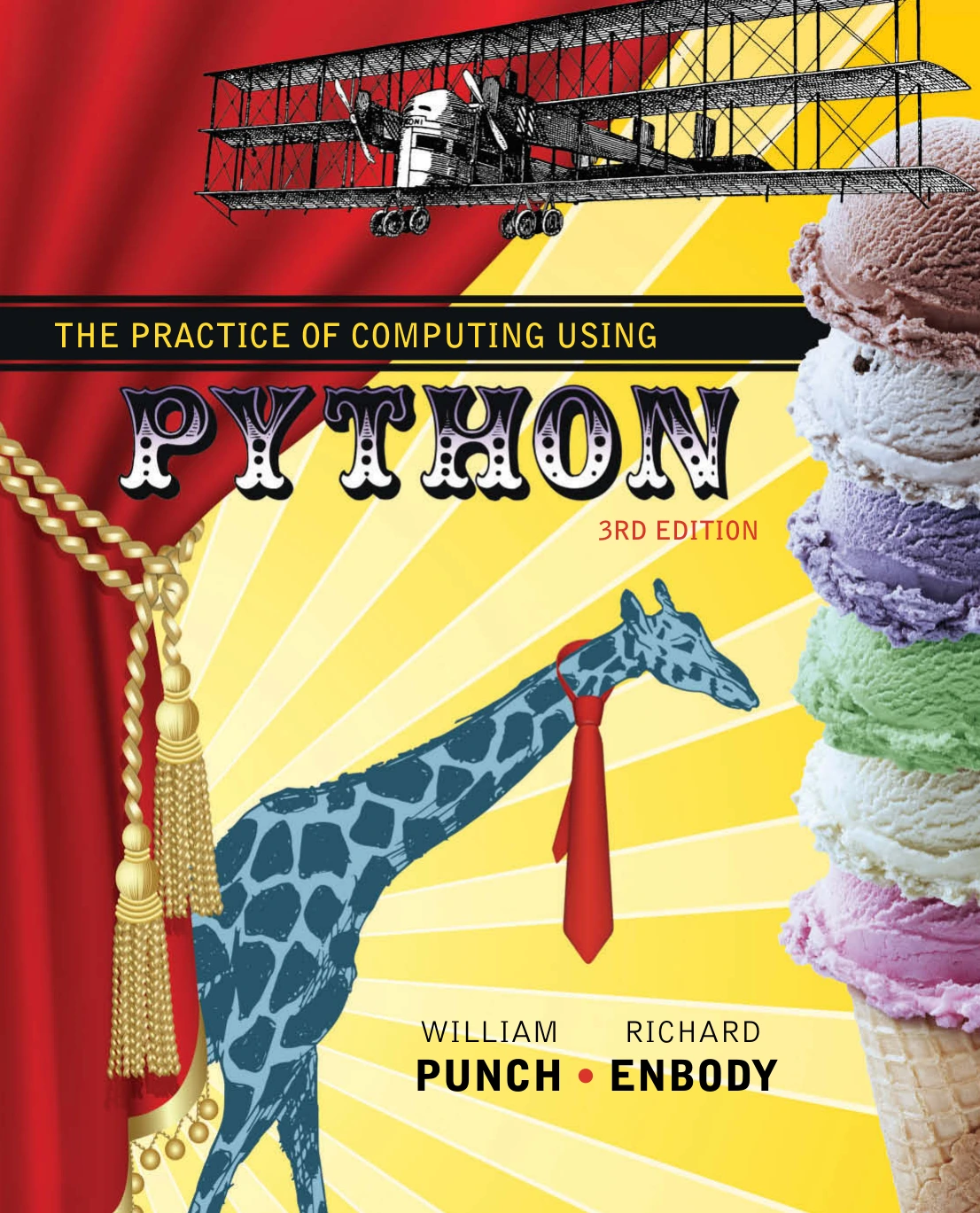
The Practice of Computing Using Python
Learners who want a book-based companion with computer science fundamentals and exercises.
Common mistakes when choosing a free course
- Calling a resource hub a course: A directory can help you find learning material, but it may not provide one complete sequence of lessons and exercises.
- Assuming “free” means everything is included: Check for paid tiers, restricted lessons, or charges for extras before investing time.
- Starting with material above your level: Documentation written for people who already program may feel unnecessarily difficult to a complete beginner.
- Watching or reading without coding: Schedule time to run examples, make changes, and solve small problems yourself.
- Ignoring setup differences: Check that installation instructions are current and use a stable Python release.
- Choosing too many resources at once: Pick one main learning path and use documentation or a directory to answer specific questions, rather than restarting with a new course every few days.
Frequently asked questions
Are free Python courses really free?
Some learning resources are available at no charge, but “free” does not always mean that every lesson, exercise, certificate, or extra feature is included. The official Python Tutorial is free documentation. For third-party listings, check the provider’s current access and pricing terms directly.
Can I learn Python in a browser without installing anything?
Some learning resources listed in Python’s Beginner’s Guide wiki are browser-based, but the wiki does not verify their current terms or completeness. Check the specific course to see whether browser practice covers the whole learning path or whether installation is needed later.
Do I need prior coding experience to learn Python?
No. Python.org’s beginner hub is intended to help people who may be completely new to programming find a starting point. However, the official Python Tutorial assumes some existing programming knowledge, so choose a first resource that matches your background.
Is the official Python Tutorial suitable for complete beginners?
It may be challenging as a first course if you have never programmed. The documentation says it is for people new to Python who already have a basic understanding of programming. Learn the fundamentals first, then use the tutorial as a follow-on or reference.
Which free Python course is best for a beginner?
There is no verified objective ranking in the available evidence. For a complete beginner, start with Python.org’s beginner hub and select a course that teaches programming fundamentals with hands-on practice. If you already know another language, try the official Python Tutorial.
Conclusion
The best free Python learning resource is the one that fits your experience and gives you a realistic way to practise. If you are new to programming, use Python.org’s beginner page as an entry point and verify that the course you choose teaches fundamentals from scratch. If you already code, the official Python Tutorial is a useful free path into the language. Treat community course lists as leads to check—not as proof of current quality or free access—and keep coding as you learn.