

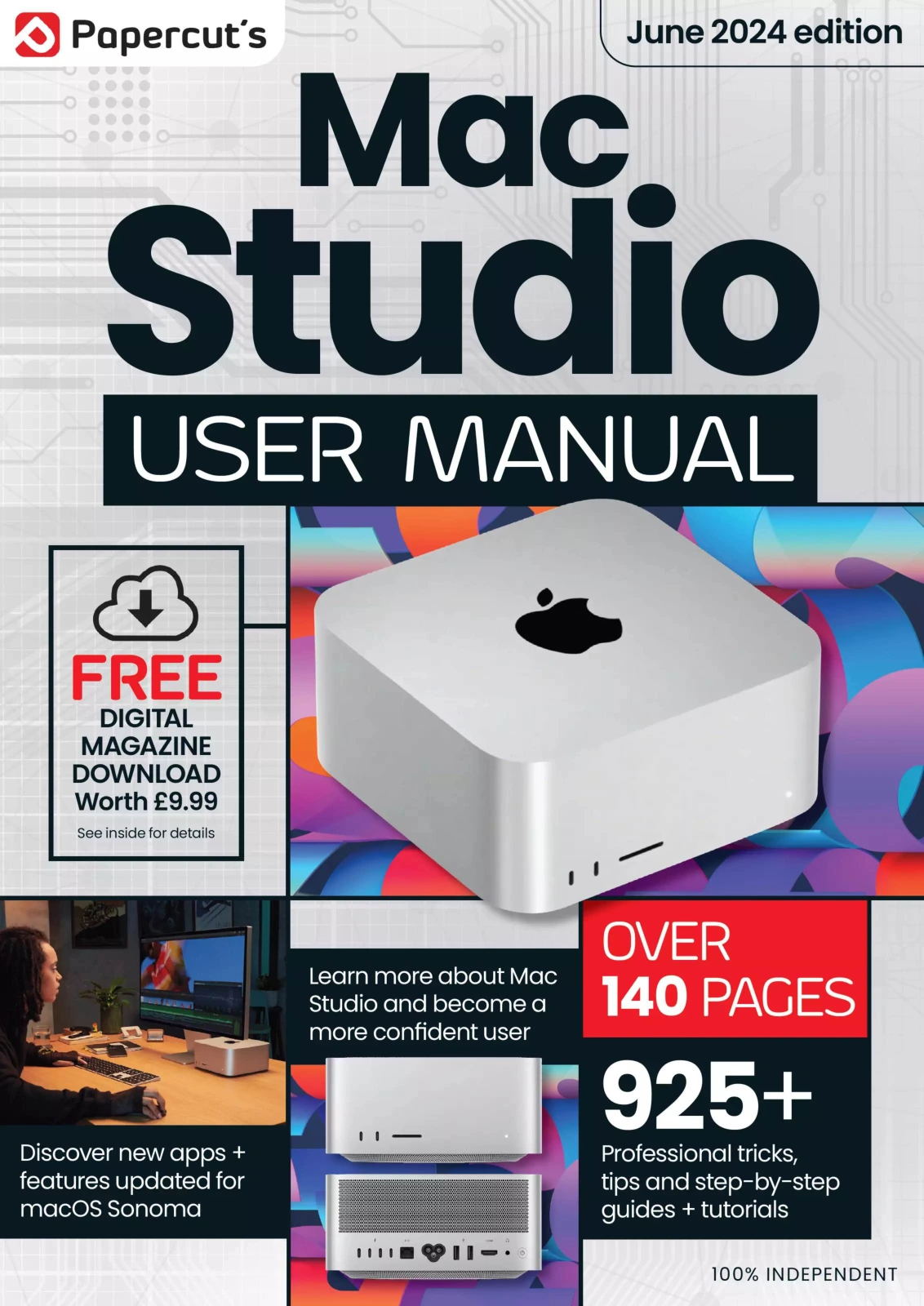
The Complete Mac Studio Manual – 8th Edition, 2024
Original price was: $13.31.$6.66Current price is: $6.66.

Papercut
Product Specs:
- File Type: PDF
- File Size: 81.2 MB
- Book Language: English
- Total Page Count: 148
- Instant Download
Get to Know Your Mac Studio Inside Out
Apple’s Mac Studio packs impressive power into a compact desktop, but unlocking its full potential takes more than just switching it on. This independent 140-page digital magazine from Papercut guides you through the entire experience, from the first welcome screen to advanced macOS Sonoma features. Whether you’re setting up a brand-new Mac or upgrading an existing workflow, the clear instructions and helpful visuals make the journey straightforward.
Start with the Essentials
The opening chapters cover the fundamentals you need to get going. You’ll find friendly walkthroughs for choosing your language, connecting to Wi-Fi, signing in with an Apple ID, and creating your user account. Touch ID, gesture controls, and the redesigned Sonoma desktop are explained step by step, so even first-time Mac users can follow along without guesswork.
Explore the Built-In Apps
The real value of macOS lies in its included software, and this guide gives each major app the attention it deserves. Safari, Mail, FaceTime, Maps, Notes, Reminders, Photos, Music, News, and Home are all covered with practical tips. You’ll learn how to browse more efficiently, manage email with column view, make video calls, plan routes, edit images, and keep your smart home accessories under control.
Master Sonoma’s Newest Features ✨
macOS Sonoma introduces several tools that change how you interact with your Mac. This edition dives into Desktop Widgets, Safari Profiles, Screen Sharing, Stage Manager, and the improved video chat options. The advice goes beyond basic descriptions, showing you real scenarios where these features can save time and reduce clutter.
Stay Synced and Secure
Your Mac doesn’t exist in isolation. The guide explains Continuity features that let you move between Mac, iPhone, and iPad, plus Universal Control and Continuity Camera. iCloud syncing, Time Machine backups, external drive advice, and privacy and security settings are also covered in detail. By the time you finish, you’ll have a solid plan for keeping your files safe and accessible.
Why This Edition Stands Out
As the 8th edition, this 2024 issue reflects the June 2024 state of macOS Sonoma. The content is 100% independent, written to be useful rather than promotional. There’s no jargon without explanation, and every tutorial is designed to build genuine confidence. If you’ve ever felt like your Mac could do more, this manual will show you how to make that happen.
User Reviews
Be the first to review “The Complete Mac Studio Manual – 8th Edition, 2024”
You must be logged in to post a review.

Make Your Own PC Tricks & Tips: 22nd Edition 2025
Sold by Papercut
Adobe Photoshop for Beginners – 23rd Edition 2026
Sold by Papercut
Outdoor Photography For Beginners
Sold by Papercut
Adobe Elements User Manual – 21st Edition 2025
Sold by Papercut
Google Complete Manual – 26th Edition, 2025
Sold by Papercut
Windows 10 For Beginners
Sold by Papercut Original price was: $13.31.$6.66Current price is: $6.66.






There are no reviews yet.