Learning Python can feel surprisingly easy at first.
The syntax is readable, tutorials are everywhere, and there are thousands of books, courses, videos, and coding exercises available online. But that abundance creates a different problem: where should you actually start?
Many beginners make the same mistake. They try to learn everything at once.
They jump from basic Python syntax to machine learning, then to web development, then to data science, then to automation. They download several books, bookmark dozens of tutorials, watch programming videos, and eventually spend more time choosing what to study than actually writing code.
A better approach is much simpler.
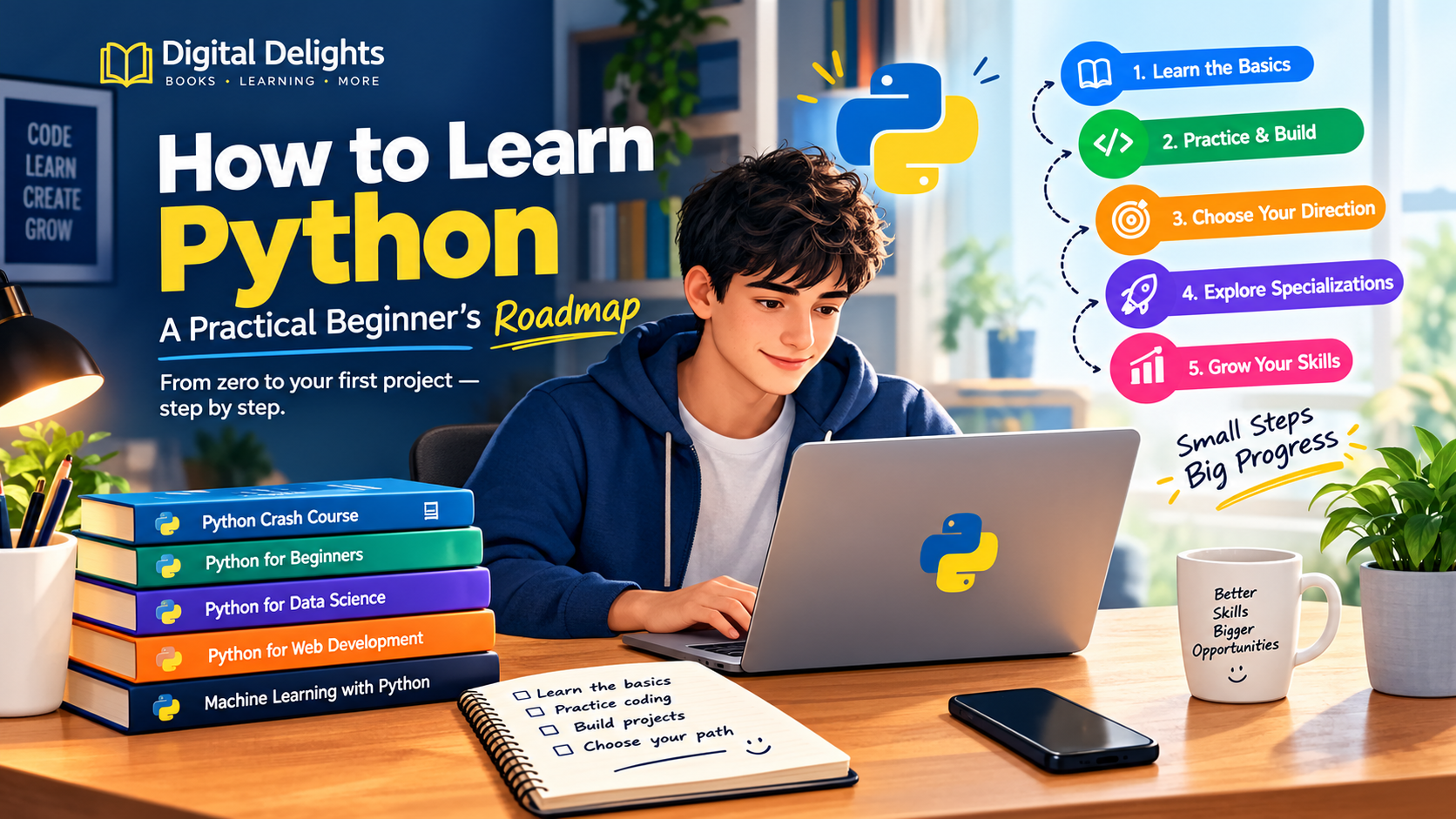
Learn the fundamentals, practise them, build small programs, and then choose a direction.
This guide explains how to learn Python step by step, what to study first, how to choose Python books, how to practise effectively, and how to move from beginner concepts toward areas such as data science, artificial intelligence, web development, automation, and software development.
Why Learn Python?
Python is a general-purpose programming language that can be used for many different kinds of projects.
You can use it to:
- Learn fundamental programming concepts
- Build scripts and small utilities
- Automate repetitive tasks
- Work with files and data
- Build web applications
- Analyse datasets
- Create machine learning projects
- Explore artificial intelligence
- Work with scientific and engineering applications
- Build APIs
- Develop software projects
- Experiment with programming ideas quickly
This flexibility is one of Python’s biggest advantages for beginners.
However, flexibility does not mean you should learn every part of Python immediately.
In fact, trying to learn every Python library and framework at the beginning can make the learning process much harder.
The goal should be to build a strong foundation first.
The Best Way to Learn Python
There is no single perfect Python learning method for everyone.
Some people learn best from books. Others prefer interactive exercises. Some need projects to understand a concept, while others prefer to understand the theory before writing code.
A practical learning process can combine all of these approaches.
Think of your Python journey as four stages:
Learn → Practise → Build → Specialize
Each stage has a different purpose.
Stage 1: Learn the Python Fundamentals
Your first goal should not be artificial intelligence, Django, data science, or advanced Python techniques.
Your first goal should be understanding how programming works.
Start with concepts such as:
- Variables
- Numbers
- Strings
- Boolean values
- Lists
- Tuples
- Dictionaries
- Sets
- Operators
- Conditional statements
if,elif, andelseforloopswhileloops- Functions
- Parameters and return values
- Basic error handling
- File operations
- Modules and imports
- Basic object-oriented programming
You don’t need to master every topic immediately.
You need enough understanding to write small programs without constantly copying someone else’s code.
A good beginner test
After learning a concept, close the book or tutorial and ask yourself:
Can I use this without looking at the example?
If the answer is no, spend more time practising before moving on.
That simple habit can make a major difference.
Choose One Beginner-Friendly Python Book
One of the easiest ways to become overwhelmed is to collect too many learning resources.
You don’t need ten Python books.
You need one resource that matches your current level, plus enough practice to turn what you read into actual programming ability.
Digital Delights has several Python titles that can be useful for different stages of the learning process.
For example, Python Crash Course: An Introduction Guide with Fundamentals of Computer Science for Total Beginners with Hands-On Projects, Tricks and Tips to Learn Fast Coding Concepts, Techniques and Tools is aimed at people who are starting with Python and programming fundamentals. Its material covers variables, data types, control flow, functions, object-oriented programming, files, and Python libraries.
This is a more compact introduction that covers core Python concepts such as variables, data structures, files, conditions, and loops before touching on machine learning and neural-network concepts.
For learners who want several related subjects in one resource, Python Programming: 3 Manuscripts: Crash Course, Coding with Python, Data Science takes a broader route. It combines beginner Python material with coding, libraries, algorithms, data science, NumPy, pandas, and machine-learning topics.
The important point is not which title sounds the most impressive.
Choose the one whose level and structure match where you are now.
Don’t Just Read Python — Write Python
This is probably the most important part of learning programming.
Reading code can create a false sense of understanding.
You look at a program and think:
“That makes sense.”
Then you open a blank editor and suddenly don’t know where to begin.
That is normal.
Programming is a practical skill.
You need to write code.
For example, after learning variables, don’t simply read another chapter.
Write a tiny program.
name = "Alex"
age = 25

print("My name is", name)
print("I am", age, "years old.")
Then change it.
Add another variable.
Ask the user for their name.
Calculate something.
Break the program.
Fix it.
Change the output.
The goal is to make the code yours.
Use Small Python Exercises to Build Confidence
Small exercises are extremely useful because they remove the pressure of building a large application.
You can practise one concept at a time.
For example:
Variables and calculations
Create a program that calculates the total cost of three products.
Conditions
Create a program that checks whether someone is eligible for something based on their age.
Loops
Create a program that prints numbers from 1 to 100.
Lists
Create a shopping list and allow the user to add items.
Dictionaries
Create a small contact book.
Functions
Create reusable functions for calculations.
Files
Create a program that saves notes to a text file.
These projects may look simple.
That’s exactly why they’re useful.
You are learning how individual programming concepts connect together.
Python Practice Books Can Help
Some learners don’t need another explanation of Python syntax.
They need problems to solve.
That is where exercise-focused material can be useful.
For example, Digital Delights includes Python Code Examples – 1: Solved Exercises to Practice, which focuses on beginner exercises involving Python variables and conditional structures.
There is also Python Code Examples – 2, which moves into loops, including for, while, range(), and break.
These types of resources work well alongside a beginner book.
Instead of reading chapter after chapter, you can use them as practice sessions:
- Learn a concept.
- Attempt an exercise.
- Compare your solution.
- Find the mistake.
- Rewrite the program.
- Create your own variation.
That process is much closer to real programming than passive reading.
Build Small Python Projects
Once you understand the fundamentals, start building.
Your first project does not need to be impressive.
It needs to be finished.
Here are some beginner-friendly ideas.
1. Calculator
Build a calculator that can perform basic operations.
Then add:
- More operations
- Input validation
- A menu
- Functions
- Error handling
2. Number Guessing Game
Generate a random number and ask the user to guess it.
Then add:
- Attempt counting
- Difficulty levels
- Hints
- A replay option
3. To-Do List
Create a simple command-line task manager.
You can later add file storage so tasks remain available after the program closes.
4. File Organizer
Write a script that sorts files into folders based on their extensions.
This is a good introduction to practical automation.
5. Personal Expense Tracker
Store expenses and calculate:
- Total spending
- Spending by category
- Monthly totals
- Largest expenses
6. Simple Text-Based Game
Games are particularly useful for beginners because they naturally require:
- Variables
- Conditions
- Loops
- Functions
- User input
- Lists
- Random numbers
The objective is not to build the next major game.
The objective is to make programming concepts work together.
The Most Important Transition: From Tutorials to Projects
At some point, stop following tutorials step by step.
This can be uncomfortable.
You might know the syntax but still feel unable to build something independently.
That’s part of learning.
Try this progression:
Tutorial → Modified Example → Small Exercise → Personal Project
For example:
You follow a tutorial for a calculator.
Then change the calculator.
Then write a calculator without looking at the tutorial.
Then add features the tutorial never showed you.
Finally, build a completely different project using the same concepts.
That final step is where deeper understanding begins.
How to Choose Your Python Specialization
Once your fundamentals are reasonably strong, Python becomes much more interesting.
This is when you can choose a direction.
You don’t need to choose forever.
You simply need to decide what you want to explore next.
Python for Data Science
If you enjoy numbers, datasets, charts, statistics, or finding patterns in information, data science may be a good direction.
You can begin exploring:
- NumPy
- pandas
- Data cleaning
- Data visualization
- Statistics
- Data analysis
- Jupyter notebooks
- Machine learning
A useful next-stage title in the Digital Delights catalog is Python for Data Science: The Ultimate Step-by-Step Guide to Python Programming. Discover How to Master Big Data and Their Analysis and Understand Machine Learning.
Its focus is more specialized than a basic beginner Python book, so it makes more sense after you have some understanding of Python fundamentals.
Python for Data Analysis
Data analysis is related to data science but has its own practical focus.
A typical Python data-analysis workflow might involve:
- Loading data.
- Cleaning it.
- Exploring it.
- Transforming it.
- Calculating useful statistics.
- Visualizing results.
- Communicating what the data shows.
Digital Delights includes Python for Data Analysis: A Beginner’s Guide to Learn Data Analysis with Python Programming.
The catalog description covers topics associated with Python data analysis, including NumPy, pandas, SciPy, Matplotlib, and data wrangling.
Another catalog title, Python for Data Analysis: Master Deep Learning with Python Language and Become Great at Programming Python for Beginners with Hands-on Project (Data Science), takes a different route by connecting data analysis with deep learning and technologies such as TensorFlow, Keras, PyTorch, and neural networks.
These are examples of why you should look at the contents and intended level of a book before choosing it.
Not every book containing the word “Python” is a beginner Python book.
Python for Artificial Intelligence and Machine Learning
Python has become an important tool in modern machine learning workflows.
But beginners should be careful here.
Machine learning is not simply “advanced Python.”
It introduces additional subjects such as:
- Mathematics
- Statistics
- Data preparation
- Algorithms
- Model evaluation
- Probability
- Linear algebra
- Machine-learning libraries
That means learning Python first can make the transition considerably easier.
A sensible progression is:
Python fundamentals → data structures → functions → NumPy/pandas → statistics → machine learning
Don’t feel that you need to understand neural networks during your first week of Python.
Build the foundation first.
Python for Web Development
If your goal is to build websites or web applications, Python can take you in another direction.
You may eventually explore frameworks such as Django or Flask.
But frameworks should come after you understand the language itself.
You should be comfortable with:
- Variables
- Functions
- Conditions
- Loops
- Data structures
- Modules
- Classes
- Files
- Exceptions
Then framework concepts become easier to understand because you’re learning web development with Python, rather than trying to learn Python and a complicated framework simultaneously.
Python for Automation
Automation is another excellent direction for Python beginners because the results can feel immediately useful.
Imagine writing a script that:
- Renames hundreds of files
- Organizes folders
- Extracts information from documents
- Processes spreadsheets
- Generates reports
- Converts data
- Performs repetitive calculations
- Works with APIs
Automation projects can also teach you an important programming lesson:
Code doesn’t have to be complicated to be valuable.
A 30-line script that saves you an hour every week can be more useful than a huge project you never finish.
Python for Software Development
If your long-term goal is professional software development, eventually you will need to go beyond basic syntax.
You can explore:
- Object-oriented programming
- Testing
- Debugging
- Packaging
- Type hints
- APIs
- Databases
- Git
- Software architecture
- Concurrency
- Code quality
- Performance
For experienced learners, Deep Dive Python: Techniques and Best Practices for Developers in the Digital Delights catalog covers more advanced Python subjects such as data structures, exceptions, object-oriented programming, decorators, descriptors, metaclasses, generators, concurrency, multiprocessing, asyncio, typing, testing, packaging, and code organization.
This is an example of a book that belongs much later in a learner’s journey.
Don’t use an advanced reference as your first Python textbook simply because it has a larger page count.
What About Python for Kids?
Python is also a popular introduction to programming for younger learners.
If you’re helping a child learn programming, the teaching strategy should be different from the one used with an experienced developer.
Games, visual examples, activities, and short challenges can make programming easier to approach.
Digital Delights includes Coding for Kids: Python: Learn to Code with 50 Awesome Games and Activities, which is designed around beginner coding activities, games, challenges, and practical programming exercises.
This illustrates an important lesson:
The best learning resource depends on the learner, not simply on the programming language.
A resource that works well for a child may not be appropriate for an adult software developer, and an advanced developer reference may be frustrating for someone writing their first program.
How Long Does It Take to Learn Python?
There is no universal answer.
It depends on what “learn Python” means.
Someone may learn basic Python syntax in a few weeks.
Becoming comfortable writing small programs can take longer.
Becoming proficient enough to work on substantial software projects takes considerably more practice.
And becoming highly experienced is an ongoing process.
Instead of asking:
“How many days does it take to learn Python?”
ask:
“What can I build now that I couldn’t build last month?”
That is a much better measurement.
For example:
Beginner milestone
You can write simple scripts using variables, conditions, loops, and functions.
Early intermediate milestone
You can build small programs independently and debug common problems.
Intermediate milestone
You can work with libraries, files, APIs, data, and larger projects.
Specialized milestone
You can build meaningful projects in an area such as web development, automation, data science, or machine learning.
A Practical 12-Week Python Learning Roadmap
If you want structure, here’s a simple example.
Weeks 1–2: Python Fundamentals
Study:
- Variables
- Data types
- Strings
- Lists
- Dictionaries
- Conditions
- Loops
Write very small programs every day.
Weeks 3–4: Functions and Program Structure
Learn:
- Functions
- Parameters
- Return values
- Modules
- Imports
- Basic exceptions
- File handling
Build several small programs.
Weeks 5–6: Practice
Stop consuming so much new material.
Solve exercises.
Build:
- Calculator
- Guessing game
- To-do list
- File organizer
- Simple text-based game
Weeks 7–8: Larger Project
Choose one project and finish it.
Don’t abandon it when you encounter errors.
Debugging is part of learning.
Weeks 9–10: Choose a Direction
Pick one:
- Web development
- Data analysis
- Data science
- Machine learning
- Automation
- Software development
- Scientific computing
Start learning the tools related to that area.
Weeks 11–12: Build Something Real
Create a project that solves a problem you actually care about.
This could be:
- A personal automation tool
- A data-analysis project
- A small web application
- An API client
- A reporting tool
- A command-line application
The project does not need to be commercially successful.
It needs to teach you something.
How to Study Python More Effectively
The quality of your study routine matters more than the number of hours you spend staring at a book.
Try this approach.
Read Less, Practise More
Don’t spend three hours reading Python without writing code.
Read a concept.
Write code.
Experiment.
Break it.
Fix it.
Move forward.
Keep a Programming Notebook
Write down:
- New concepts
- Errors you encountered
- Solutions
- Useful functions
- Questions
- Project ideas
Your mistakes can become one of your best learning resources.
Rebuild Examples Without Looking
After completing an example, close the book.
Try to reproduce the program from memory.
You don’t need to reproduce it perfectly.
The exercise forces you to think.
Change Existing Examples
Suppose a book gives you a program that calculates an average.
Change it.
Make it calculate the maximum.
Then the minimum.
Then accept multiple values.
Then read those values from a file.
You are turning one example into several learning exercises.
Don’t Collect Python Books Instead of Learning Python
There is a funny trap in programming education.
You can become extremely good at researching programming books without becoming good at programming.
You don’t need:
- Five beginner books
- Ten Python courses
- Fifty bookmarked tutorials
- Hundreds of saved videos
You need a learning path.
A useful collection might look like this:
One beginner book
↓
One practice resource
↓
Several small projects
↓
One specialization
↓
One larger project
↓
More advanced resources when necessary
That is far more useful than continuously searching for the “best Python book.”
How to Choose the Right Python Book
Before choosing a book, ask five questions.
1. Who is it written for?
Is it for:
- Complete beginners?
- Programmers learning Python?
- Data analysts?
- Machine-learning students?
- Web developers?
- Experienced Python developers?
2. Does it contain exercises?
A book with practical exercises can be more useful than a book that simply explains concepts.
3. Does the difficulty match you?
Avoid jumping too far ahead.
4. Does it match your goal?
A data-science book isn’t necessarily the best first Python book.
5. Will you actually work through it?
The perfect book that you never finish is less useful than a good book that you study consistently.
A Better Way to Use Digital Books
Digital books can be especially useful when you treat them as working resources rather than things to read from beginning to end.
Keep your Python book open while coding.
When you encounter a problem, search the relevant chapter.
Take notes.
Try the examples.
Then close the book and solve the problem yourself.
For example:
Learn functions → practise functions → build a small program using functions.
Then:
Learn files → practise files → build something that stores information in a file.
Then:
Learn APIs → practise API requests → build a small application using an API.
This creates a continuous connection between learning and doing.
Your Python Learning Roadmap Doesn’t Have to Be Perfect
One of the biggest obstacles for beginners is trying to create the perfect learning plan before starting.
You don’t need one.
Your roadmap will change.
You may start with general Python and discover that you love data science.
You may start with web development and realize that automation interests you more.
You may begin programming for a career and eventually discover that you simply enjoy building personal tools.
That’s normal.
Learning Python is not a straight line.
The important thing is to keep moving.
Frequently Asked Questions About Learning Python
Is Python good for complete beginners?
Yes. Python can be a practical first programming language because its syntax is relatively readable and it can be used for many different types of projects.
However, the language itself doesn’t make programming automatically easy. Beginners still need to learn problem solving, debugging, program structure, and logical thinking.
What should I learn first in Python?
Start with variables, data types, strings, lists, dictionaries, conditions, loops, functions, modules, basic exceptions, and file handling.
Then start building small projects.
Should I learn Python from a book?
A book can be an excellent learning resource, especially when it provides a structured progression and exercises.
The important thing is to combine reading with writing code.
How many Python books should a beginner read?
Usually, start with one.
Once you understand the fundamentals, add another resource if it solves a specific learning need, such as exercises, data science, web development, or machine learning.
Can I learn Python without a programming background?
Yes.
Start with programming fundamentals rather than assuming you already understand concepts such as variables, loops, functions, and data structures.
Should I learn machine learning at the same time as Python?
Usually, beginners will benefit from learning core Python first.
Once you’re comfortable with Python, you can gradually introduce NumPy, pandas, statistics, data analysis, and machine learning.
What projects should a Python beginner build?
Good first projects include calculators, guessing games, to-do lists, file organizers, simple text games, expense trackers, and small automation scripts.
Choose projects that are slightly beyond your current ability.
Is reading Python books enough?
No.
Reading helps you understand concepts, but programming requires practice.
Write code regularly.
Make mistakes.
Debug them.
Build projects.
Final Thoughts: Learn Python by Building
The best Python learning strategy is not about finding one magical book or completing the largest number of tutorials.
It is about creating a cycle:
Learn → Write → Break → Debug → Improve → Build
Start with the fundamentals.
Choose one beginner-friendly resource.
Practise what you learn.
Build small programs.
Then choose a direction that interests you.
If you want to explore Python learning materials, Digital Delights has a growing collection of digital programming and Python resources covering beginner programming, exercises, data science, machine learning, and more.
You can start with a beginner resource such as Python Crash Course, use exercise-focused material such as Python Code Examples, and later move into specialized subjects such as data science or advanced Python development.
Don’t worry about learning everything.
Learn enough to build something. Then let the thing you build tell you what to learn next.
That is how Python becomes more than a programming language you are studying.
It becomes a tool you can actually use.