

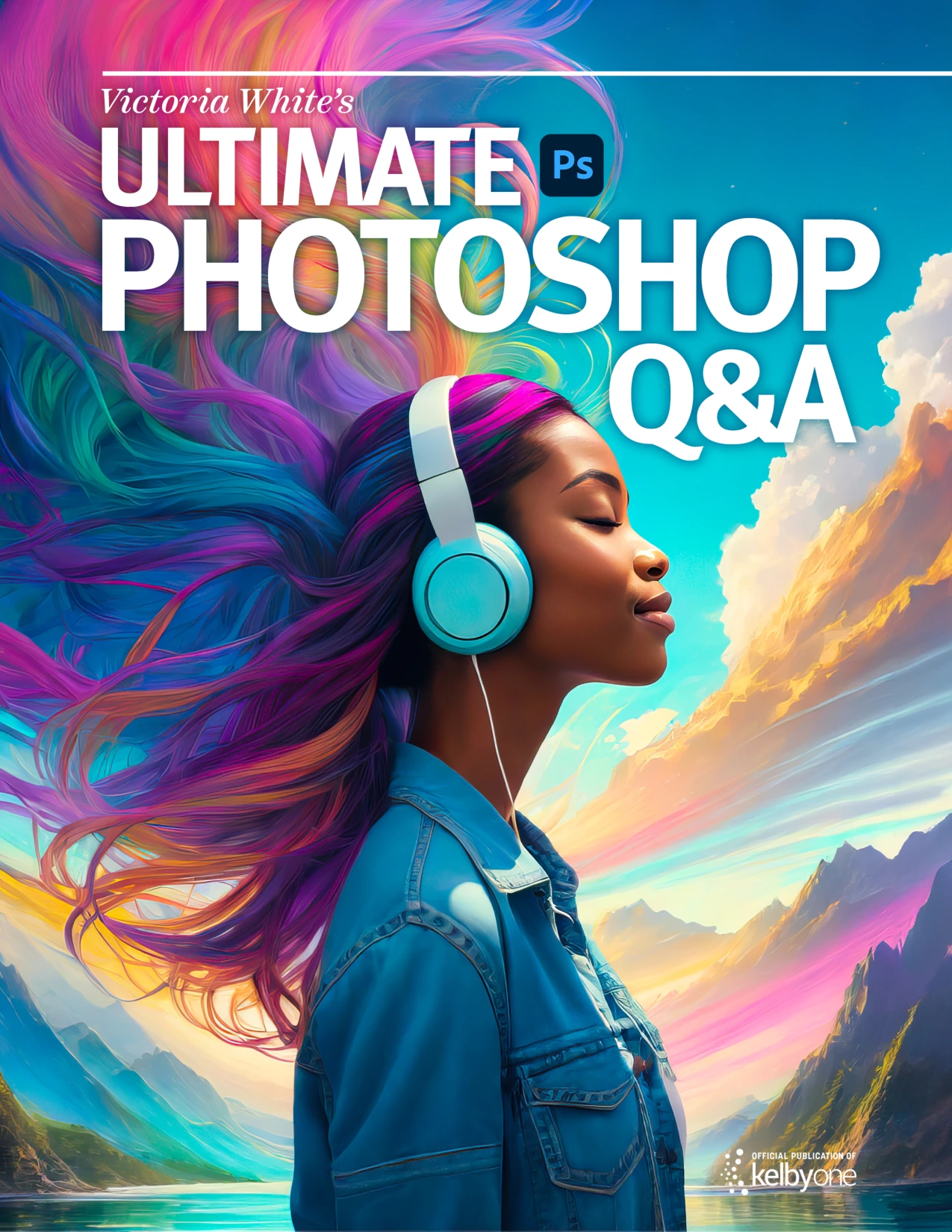
Victoria White’s Ultimate Photoshop Q&A
Original price was: $5.00.$2.50Current price is: $2.50.

Victoria White
Product Specs:
- File Type: PDF
- File Size: 73.4 MB
- Book Language: English
- Total Page Count: 42
- Instant Download
Straight Answers to Real Photoshop Questions
Victoria White’s Ultimate Photoshop Q&A; is a practical collection built from the kinds of questions Photoshop users actually ask while working on real projects. Instead of broad theory, it delivers focused, step-by-step answers that help you move past common roadblocks and get back to creating.
What’s Inside the Q&A;
This ebook covers a wide range of everyday Photoshop tasks, including:
- Enabling History & Content Credentials to attach editing history and attribution.
- Using the Magic Wand tool’s Tolerance and Sample Size settings effectively.
- Organizing custom colors with Swatches groups and meaningful names.
- Creating reusable presets in Adobe Camera Raw for consistent edits.
- Choosing the right Brush Tip Outline for different workflows.
- Rotating the document view without losing orientation.
- Fast black-and-white conversions and B&W; profiles.
- Zooming and paning with the Navigator panel.
- Applying artistic Style Transfer with Neural Filters.
- Extending backgrounds with Content-Aware Fill.
- Restoring Legacy Gradients, including Photographic Toning.
- Adding feathering after a selection has already been made.
- Adding a smile to a portrait with the Smart Portrait feature.
- Using the Smudge tool on iPad as a Mixer Brush alternative.
Practical Techniques, Not Just Theory
Every answer includes clear instructions, menu paths, and tips that reflect Victoria White’s hands-on experience. You’ll find specific settings, keyboard shortcuts, and workflow suggestions that can be applied immediately. The guidance is direct, so you can spend less time hunting for solutions and more time refining your images.
Who Will Find This Useful
This Q&A; is especially helpful for Photoshop beginners and intermediate users who want quick, reliable answers without sifting through dense manuals or lengthy video tutorials. Photographers, digital artists, and retouchers will appreciate the focus on real-world editing scenarios, from studio backdrop fixes to portrait adjustments.
A Conversation with a Pro
Victoria White’s tone is supportive and encouraging, making the material feel like a friendly conversation with an experienced colleague. The questions are answered in plain language, and the tips often include personal preferences that help you understand not just what to do, but why a particular approach may work better for your own style.
Keep It Handy
Rather than reading cover to cover, you can pick the question that matches your current task and apply the answer right away. It’s a practical reference you’ll return to whenever a familiar Photoshop challenge appears.
User Reviews
Be the first to review “Victoria White’s Ultimate Photoshop Q&A”
You must be logged in to post a review.
Original price was: $5.00.$2.50Current price is: $2.50.

There are no reviews yet.