

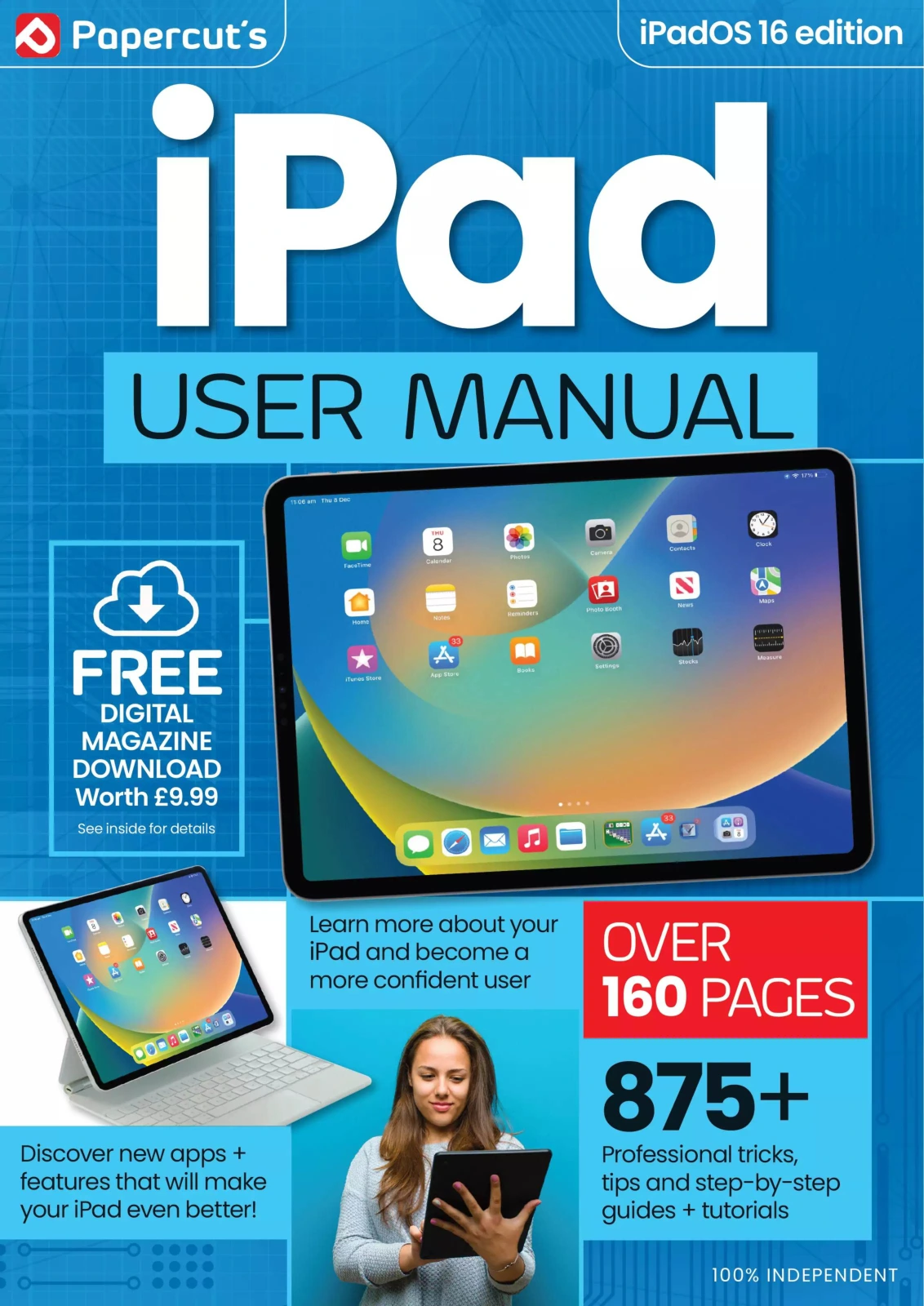
The Complete iPad & iPadOS 16 User Manual
Original price was: $13.31.$6.66Current price is: $6.66.

Papercut
Product Specs:
- File Type: PDF
- File Size: 90.4 MB
- Book Language: English
- Total Page Count: 162
- Instant Download
Make Your iPad Work Smarter for You 📱
Getting the most from an iPad often means learning the small details that make everyday tasks faster and more creative. This updated manual walks through the entire iPadOS 16 experience, from the first setup screen to advanced features like Stage Manager, Freeform, and the new Weather app. Whether you have just taken your iPad out of the box or have been using one for years, the clear, step-by-step guidance helps you become a more confident and efficient user.
From First Switch-On to Everyday Confidence
The guide begins with the essentials: identifying the buttons and ports on both Home-button and Face ID iPad models, charging, powering on, and navigating the initial setup. You’ll learn how to create an Apple ID, register Face ID or Touch ID, connect to Wi-Fi or cellular, and set up email. The touchscreen gestures, on-screen keyboard, Control Centre, widgets, and Home screen folders are all explained in plain language with visual references.
Master the Built-In Apps
Dedicated chapters introduce every major stock application, including Mail, Safari, Messages, Notes, Calendar, Contacts, Camera, Photos, Maps, Music, Podcasts, TV, Books, News, Translate, FaceTime, and Find My. Each app receives a focused walkthrough that covers the key controls and useful hidden settings, so you can immediately use them for communication, creativity, organisation, and entertainment.
Productivity & Creativity Tools ✨
iPadOS 16 brings powerful new tools to the tablet. The manual explores Freeform for collaborative whiteboarding, Stage Manager for multitasking, Display Zoom for more screen space, and Reference Mode for colour-accurate work. It also covers the Apple Pencil, Live Text, Quick Notes, iCloud Drive, the Files app, and the updated Focus system. These features are presented in a practical context, showing you how they fit into real workflows.
Personalisation, Privacy & Maintenance
Beyond the headline features, the guide offers valuable advice on customising wallpaper and sounds, using Screen Time to monitor usage, managing notifications, enabling Dark Mode, and keeping iPadOS up to date. It also covers Spotlight search, answering calls from other devices, and connecting game controllers. This ensures your iPad remains secure, organised, and tailored to your preferences.
New iPad owners and experienced users alike can use the clear instructions to build confidence and discover features they might otherwise miss. The manual’s independent, jargon-free approach makes it a practical reference you’ll return to whenever you want to get more from Apple’s tablet.
User Reviews
Be the first to review “The Complete iPad & iPadOS 16 User Manual”
You must be logged in to post a review.
C++ & Python For Beginners
Sold by Papercut
Adobe Elements Tricks and Tips – 19th Edition 2024
Sold by Papercut
Digital Photography for Beginners – 23rd Edition, 2026
Sold by Papercut
Chromebook + Google AI Complete Manual: 9th Edition (2026)
Sold by Papercut
Outdoor Photography Tricks and Tips
Sold by Papercut
Original price was: $13.31.$6.66Current price is: $6.66.





There are no reviews yet.