

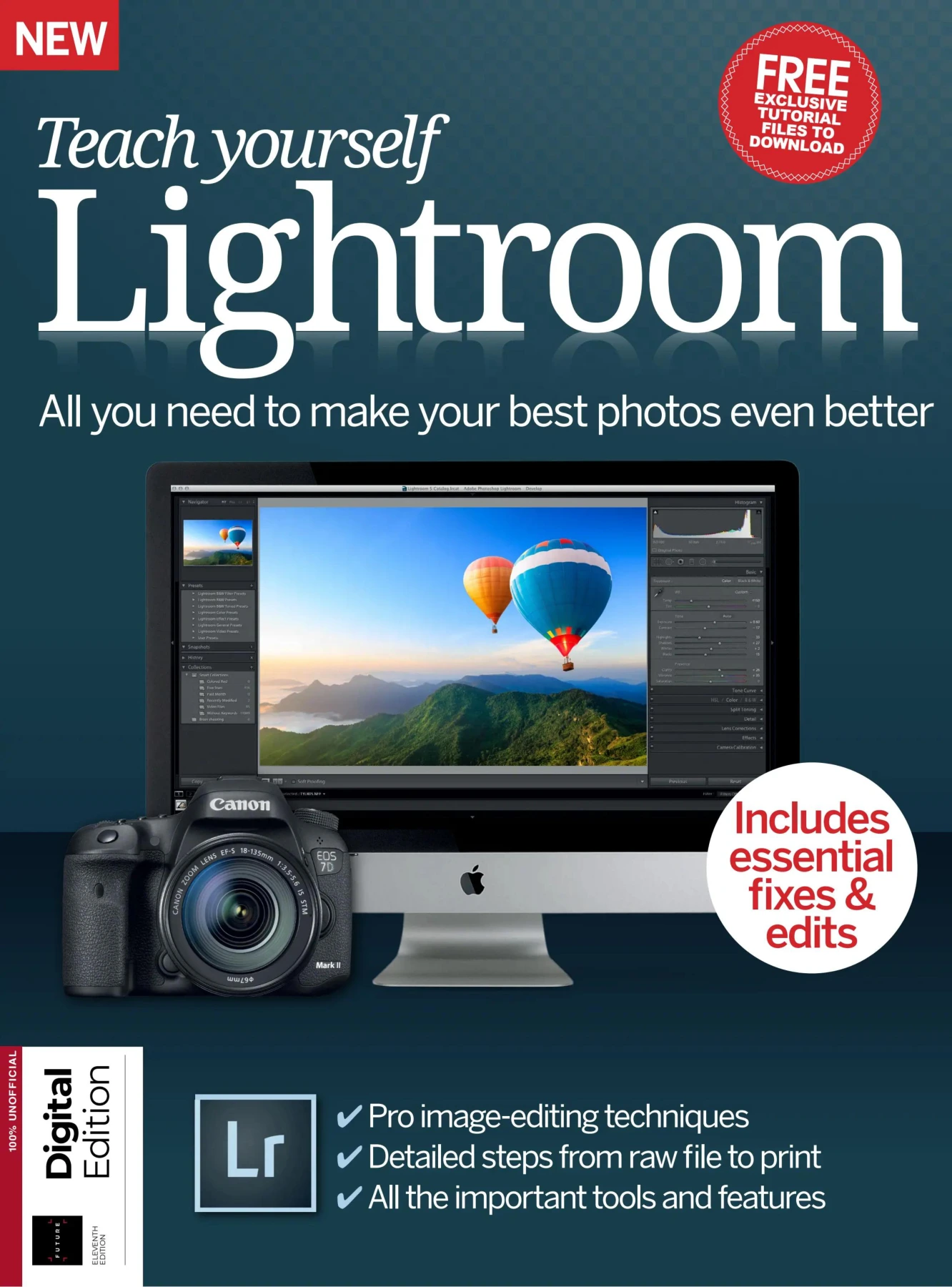
Teach Yourself Lightroom: All You Need to Make Your Best Photos Even Better
Original price was: $5.00.$2.50Current price is: $2.50.

Future Publishing
Product Specs:
- File Type: PDF
- File Size: 92.1 MB
- Book Language: English
- Total Page Count: 164
- Instant Download
Get More from Lightroom’s Full Workflow
Adobe Lightroom is far more than a set of editing sliders. It is a complete system for importing, organising, enhancing, and delivering photographs. This 2024 edition of Teach Yourself Lightroom takes a hands-on look at that entire workflow, offering clear, practical guidance for photographers who want to work more efficiently and produce better-looking images.
Whether you are wrestling with thousands of unsorted files or simply want to understand which adjustments matter most, the guide helps you build confidence in Lightroom’s key modules. The emphasis is always on real-world use: how to protect your photos with metadata, how to find images fast, and how to carry edits through to print or web publication.
Inside This Updated Edition 📘
The bookazine moves step by step through Lightroom’s most important tools:
- Importing photos and video clips from camera cards, drives, and folders
- Sorting, rating, and organising images using keywords and Collections
- Mastering the Develop module, including histograms, Smart Previews, colour, crop, and straightening
- Fixing common problems such as lens distortion, perspective issues, and sensor spots
- Making selective adjustments with Auto Mask, graduated filters, and radial filters
- Creating special effects with HSL, black-and-white conversion, and HDR
- Using the Tone Curve, sharpening, noise reduction, and camera calibration
- Building print layouts, soft proofing, watermarking, and publishing with Lightroom Web
- Working with Lightroom Mobile for syncing, organising, shooting, and editing
Each chapter is written with practical examples, and the updated content reflects the version of Lightroom relevant in 2024. The bookazine format keeps the explanations focused and easy to follow, making it a useful reference to return to as your skills grow.
From Library to Develop to Finished Photo
One of the publication’s strengths is that it does not treat editing in isolation. The opening chapters show how a well-organised Library makes every later step faster and more reliable. By combining collection strategies with smart metadata habits, you spend less time hunting for files and more time on creative decisions.
Once the workspace is clear, the guide moves into the editing tools that most photographers rely on daily. It covers basic corrections, powerful selective adjustments, and the advanced panels that give you fine control over tone, detail, and colour. The progression feels logical, and the explanations remain accessible even when the techniques become more sophisticated.
Creative Effects Without Guesswork 🎨
For photographers who want to move beyond standard corrections, the special effects and creative chapters offer direct, repeatable workflows. Landscape enhancements, cross-processing, panoramas, and HDR merging are explained with enough detail to try them confidently, yet without drowning you in unnecessary theory.
The advanced editing sections show how small adjustments to the Tone Curve or noise reduction can make a noticeable difference in image quality. The camera calibration and presets chapters help you understand why Lightroom behaves the way it does, giving you more control over the final look of your photographs.
Taking Photos Further with Lightroom Mobile
Mobile editing is no longer an afterthought, and this edition gives it proper attention. The Lightroom Mobile chapter explains how to sync your library across devices, organise images on the go, shoot with the built-in camera, and use the mobile editing tools effectively. That makes the bookazine relevant whether you work primarily on a desktop or split your time between computer and phone.
A Practical Reference for Ongoing Learning
Because the topics are organised by task, you can read the guide from start to finish or jump directly to the section you need. The concise explanations, annotated screen examples, and step-by-step instructions make it a handy companion for anyone who wants to improve their photo-editing workflow with Lightroom in 2024.
User Reviews
Be the first to review “Teach Yourself Lightroom: All You Need to Make Your Best Photos Even Better”
You must be logged in to post a review.

3D World Issue 223 August 2017
Sold by Future Publishing
ImagineFX Issue 161: Surreal Portraits
Sold by Future Publishing
ImagineFX Magazine Issue 185 April 2020
Sold by Future Publishing
ImagineFX Issue 68: April 2011
Sold by Future Publishing
Paint & Draw August 2017 Issue 11
Sold by Future Publishing
Photoshop Creative – Issue 164 (2018)
Sold by Future Publishing Original price was: $5.00.$2.50Current price is: $2.50.





There are no reviews yet.