

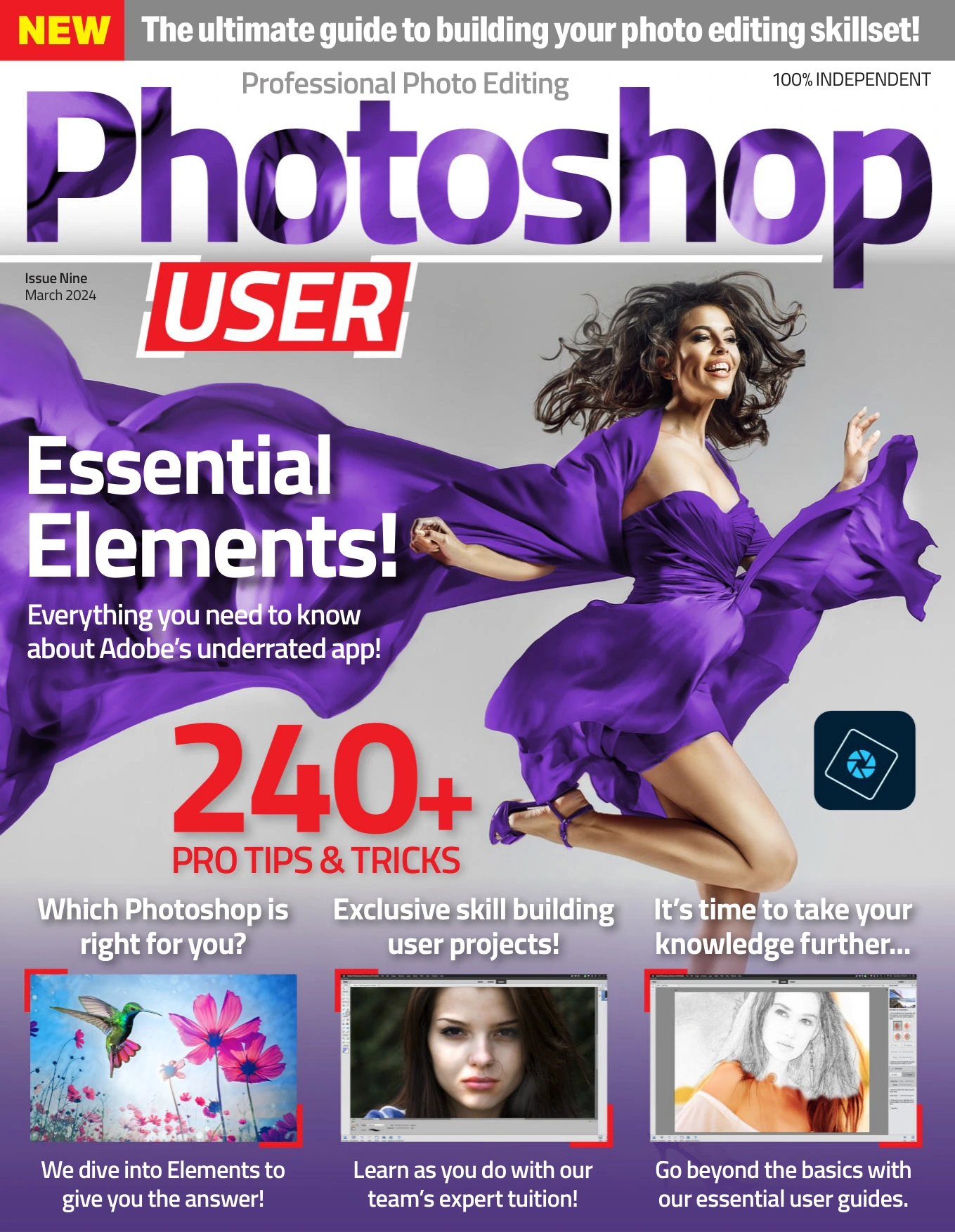
Professional Photo Editing – Issue 9
Original price was: $13.36.$6.68Current price is: $6.68.

WJS Publications
Product Specs:
- File Type: PDF
- File Size: 40.0 MB
- Book Language: English
- Total Page Count: 76
- Instant Download
A Practical Guide to Photo Editing in Adobe Photoshop Elements
Professional Photo Editing Issue 9 turns its attention to Adobe Photoshop Elements, the accessible yet capable editor that sits between quick fixes and full professional workflows. Across 76 pages, this March 2024 issue builds a structured path through the tools and techniques that matter most, from the layer-based foundations of non-destructive editing to creative effects that can transform an ordinary photograph.
What the Issue Explores
The contents move logically from essential skills to more ambitious projects:
- Core editing workflows: image adjustment methods, Quick Mode, Expert Mode, and the role of layers.
- Retouching and repair: selection tools, cloning, healing, and enhancing problem areas.
- Creative construction: drawing, fills, shapes, text, cropping, moving, and recomposing images.
- Advanced effects: sky replacement, frequency separation, composite images, dodging and burning, and adding rain to a photo.
- Reference support: a glossary to keep key terms close at hand.
From First Steps to Finer Control 📷
The issue is designed for a broad range of Photoshop Elements users. Beginners can follow the explanations from the ground up, while more experienced editors can use the later features to refine their retouching, compositing, and tonal work. The emphasis stays practical: each topic is presented as a usable technique rather than an abstract feature list.
Layers, Selections, and Non-Destructive Thinking
One of the issue’s strongest threads is the importance of working without damaging the original image. The guide to layers explains pixel, text, adjustment, and vector layers, along with masks, blend modes, and grouping. That foundation supports the selection and healing chapters, where precision and control matter just as much as the final result.
Creative Effects with a Purpose 🎨
Later sections show how Photoshop Elements can go beyond basic correction. Sky replacement, frequency separation, and composite images each open different creative directions, while dodging, burning, and rain effects demonstrate how atmosphere and depth can be shaped deliberately. These are the kinds of projects that help an editor understand not only which buttons to press, but why an adjustment works.
Who This Issue Is For
Photographers who want a clearer command of Photoshop Elements will find a focused, technique-led resource. Digital artists, hobbyists, and anyone who edits images regularly can use the issue to strengthen their everyday workflow or try a new creative approach. Because the material spans foundational concepts and more advanced methods, it can serve as both a learning path and a reference to revisit.
Inside This Issue
Professional Photo Editing Issue 9 combines step-by-step instruction with examples that show each method in context. It is a self-contained guide to getting more from Photoshop Elements, whether the goal is cleaner retouching, more convincing composites, or simply a better understanding of how the program’s tools work together.
User Reviews
Be the first to review “Professional Photo Editing – Issue 9”
You must be logged in to post a review.
Original price was: $13.36.$6.68Current price is: $6.68.





There are no reviews yet.