

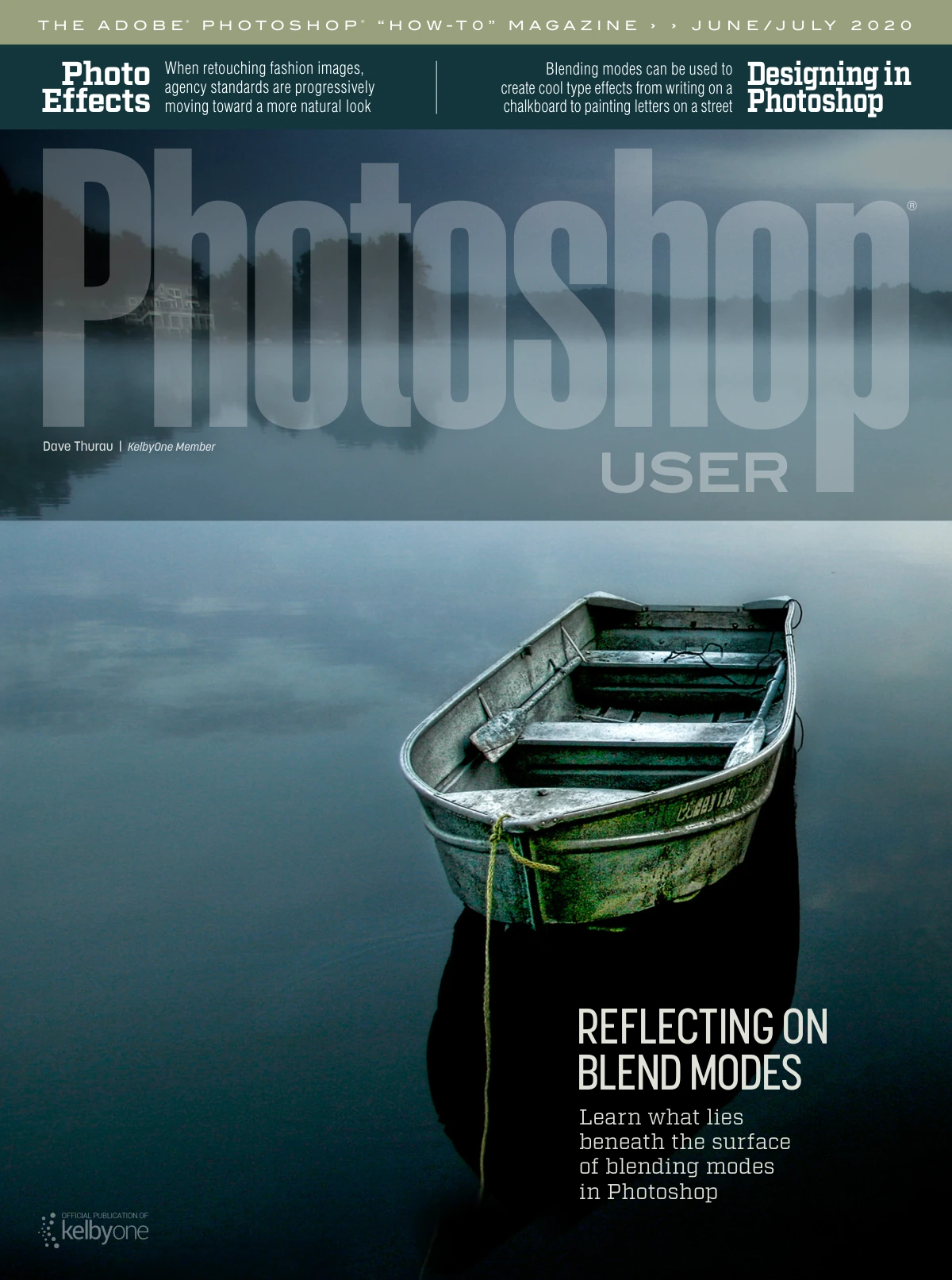
Photoshop User: June/July 2020 (Vol. 23, No. 6)
Original price was: $5.00.$2.50Current price is: $2.50.

Scott Kelby
Product Specs:
- File Type: PDF
- File Size: 98.7 MB
- Book Language: English
- Total Page Count: 122
- Instant Download
Photoshop User, June/July 2020: A Snapshot of a Fast-Moving Photoshop Moment
The June/July 2020 issue of Photoshop User (Vol. 23, No. 6) landed during a wave of notable Adobe updates. Select Subject had taken a significant leap, Camera Raw had been reworked to feel more like Lightroom, and iPad workflows were drawing tighter connections between Lightroom and Photoshop. Editor-in-Chief Scott Kelby opens the issue with a note on those changes before the magazine moves into the kind of practical, technique-driven instruction that has defined Photoshop User for years.
Blending Modes, Explained from the Ground Up
Scott Valentine takes the lead in “Blending Modes Explained,” a feature that treats blending modes as more than a menu of mysterious options. Valentine connects them to real professional workflows—photographic corrections, effects, graphic design, and illustration—and shares favorite tips alongside prompts for further exploration. For readers who have clicked through blending modes without fully understanding what happens beneath the surface, this feature is designed to make the underlying logic clearer.
Retouching, Compositing, and Creative Effects
Several articles put Photoshop’s retouching and compositing tools to work. “Fashion Retouch for Agency Standards” addresses the expectations of professional fashion imagery, while “Quick Collage with Selections” focuses on building composite layouts through careful selection work. Elsewhere, “Give Yourself a Tattoo in Minutes!” and “How to Create an Action Sequence” show how Photoshop can be used for playful, effect-driven images without losing sight of technique.
Designers and Type Artists Get Their Turn
The issue also speaks to designers working with type and layout. “Cool Ways to Blend Type into Images” explores how typography can interact with photography and texture, and “3D Text Room, Part 2” continues a project-based look at dimensional type. “A Different Approach to Duotone Effects” adds another design-oriented technique, showing how color treatment can reshape an image’s mood. Together, these pieces reflect the magazine’s broad view of Photoshop as a tool for photographers and designers alike.
Columns, Q&A, and Community Favorites
Regular departments round out the issue. “What the F Key!” appears in Shortcut City, “Photoshop Q&A” answers common reader questions, and “Product & Book Reviews” surveys gear and publications. “Photoshop Tips” offers productivity and creativity boosters, while “The Perfect Selection” and “Effects Toolkit” add further practical material. The mix is familiar to longtime readers: short, useful columns balanced against longer feature articles.
Who This Issue Is For
This issue is aimed at Photoshop users who want technique-focused instruction they can apply to their own images. Photographers will find retouching and compositing material; designers and illustrators will find type effects, duotone approaches, and creative workflows; beginners can use the step-by-step articles as a structured way to build confidence. Because the issue covers both foundational ideas and specific projects, it can serve as a reference to revisit or as a concentrated learning session.
Why This Issue Still Matters
Software changes quickly, but the thinking behind selections, blending, retouching, and compositing remains useful long after a particular version number. The June/July 2020 issue captures a specific moment in Adobe’s evolution while continuing Photoshop User’s core mission: helping readers understand not just which buttons to press, but why certain techniques work. For anyone building a digital Photoshop library, this issue adds a focused, practical volume from an established voice in the Photoshop community.
User Reviews
Be the first to review “Photoshop User: June/July 2020 (Vol. 23, No. 6)”
You must be logged in to post a review.
The Adobe Photoshop Book for Digital Photographers, 2nd Edition
Sold by Scott Kelby
Professional Portrait Retouching Techniques for Photographers Using Photoshop
Sold by Scott Kelby
Photoshop User – August 2020
Sold by Scott Kelby
The Adobe Photoshop CC Book for Digital Photographers (2014 Release) (Voices That Matter)
Sold by Scott Kelby Original price was: $5.00.$2.50Current price is: $2.50.




There are no reviews yet.