

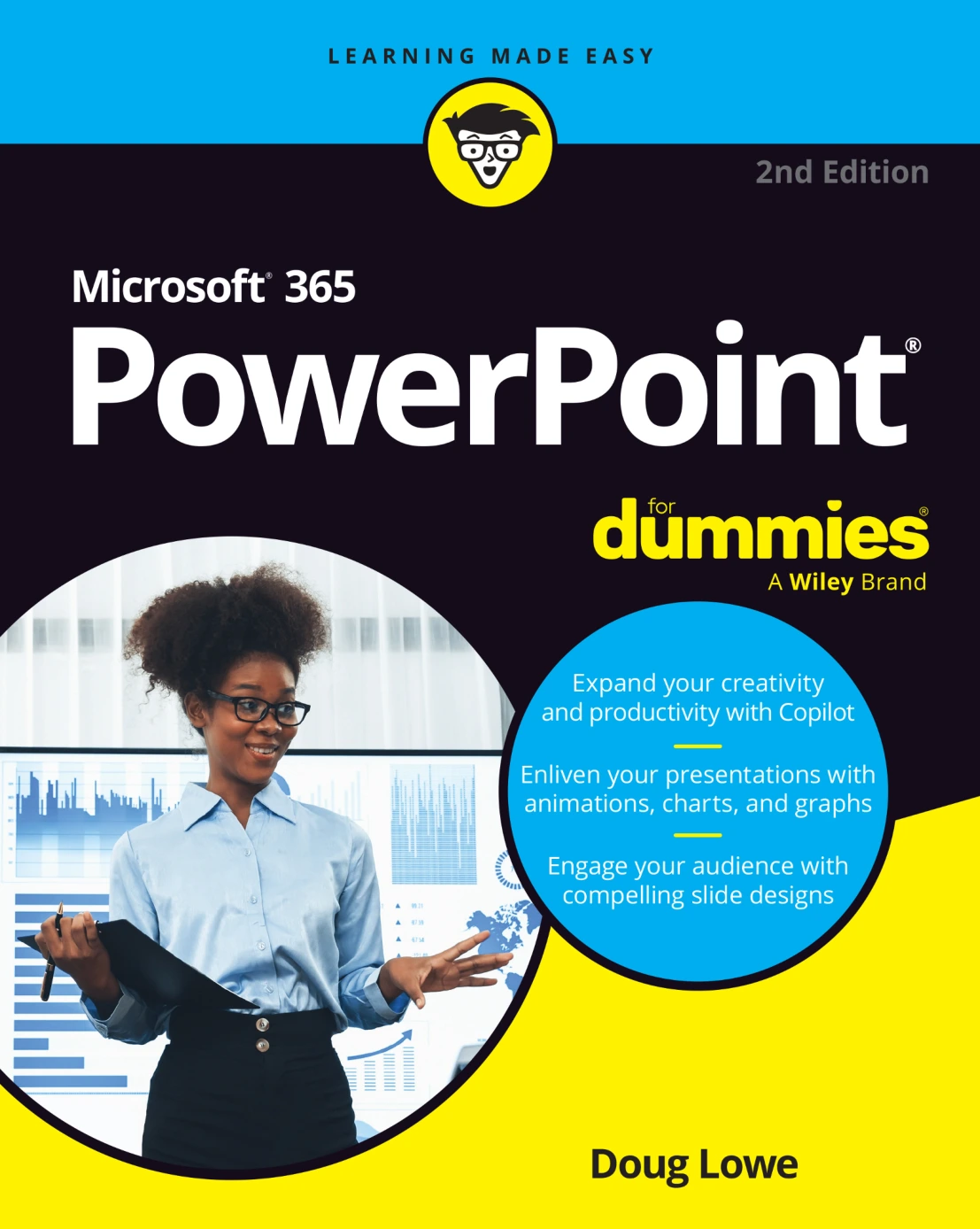
Microsoft 365 PowerPoint For Dummies, 2nd Edition
Original price was: $5.00.$2.50Current price is: $2.50.

Doug Lowe
Product Specs:
- File Type: PDF
- File Size: 33.1 MB
- Book Language: English
- Total Page Count: 403
- Instant Download
PowerPoint Without the Overwhelm
Microsoft 365 PowerPoint For Dummies, 2nd Edition is a plainspoken guide for anyone who needs to build presentations but does not want a software manual the size of a conference binder. Doug Lowe starts with the essentials — what a slide is, how the PowerPoint window is arranged, and how to create, save, and reopen a presentation — then builds outward into the tasks that make a deck look intentional rather than improvised.
From Blank Slide to Finished Presentation
The book moves through editing slides, outline view, proofing, speaker notes, and show time before turning to design. That order matters: you learn to get words and structure under control first, then shape fonts, layouts, themes, and masters. Chapters on templates and slide design explain how to keep a presentation consistent without rebuilding every slide by hand.
Copilot Changes the Workflow 💡
Part 2 is devoted to Copilot in PowerPoint. It introduces the assistant, shows how it fits into presentation work, and spends a full chapter on prompts. For readers who are curious about AI-assisted slide creation but wary of vague marketing claims, this section keeps the focus on practical use inside Microsoft 365.
Visuals, Animation, and Multimedia 🎨
Later parts cover pictures, drawing tools, charts, SmartArt, sound, video, and tables. The aim is not decoration for its own sake. These features help explain ideas: a chart can make a trend clearer, a diagram can simplify a process, and a short video or well-placed image can carry attention where a paragraph would lose it. Animation and transitions are treated as presentation tools, not fireworks.
Presenting and Sharing with Others
Chapters on collaboration and export show how PowerPoint fits into real workplaces and classrooms, where files are shared, reviewed, and delivered in different formats. Notes pages, presenter view, and collaboration features round out the workflow from preparation to delivery.
The Part of Tens 📊
The closing section offers quick, memorable lists: ten PowerPoint commandments, tips for readable slides, and ways to keep an audience awake. These chapters work as a refresher before a big talk or as a fast source of ideas when a deck is not landing.
Who Will Get the Most from It
Beginners can follow the step-by-step explanations from the first chapter. Experienced users can jump to Copilot, masters, charting, or collaboration. Business professionals, students, teachers, trainers, and anyone who presents regularly will find language that respects their time and assumes no prior expertise with PowerPoint.
A Friendly Reference, Not a Lecture
The For Dummies approach keeps the tone light and the explanations direct. Technical terms are introduced when they are needed, and the book’s humor makes long software sessions easier to sit through. For readers who want to move from occasional slides to confident presentations, this second edition is a practical desk reference.
User Reviews
Be the first to review “Microsoft 365 PowerPoint For Dummies, 2nd Edition”
You must be logged in to post a review.
Electronics All-in-One For Dummies, 4th Edition
Sold by Doug Lowe
Networking For Dummies, 12th Edition
Sold by Doug Lowe Original price was: $5.00.$2.50Current price is: $2.50.




There are no reviews yet.