
Learn to Animate: Getting Started
Original price was: $5.00.$2.50Current price is: $2.50.

Physics Art
Product Specs:
- File Type: PDF
- File Size: 5.2 MB
- Book Language: English
- Total Page Count: 14
- Instant Download
Learn to Animate: Getting Started
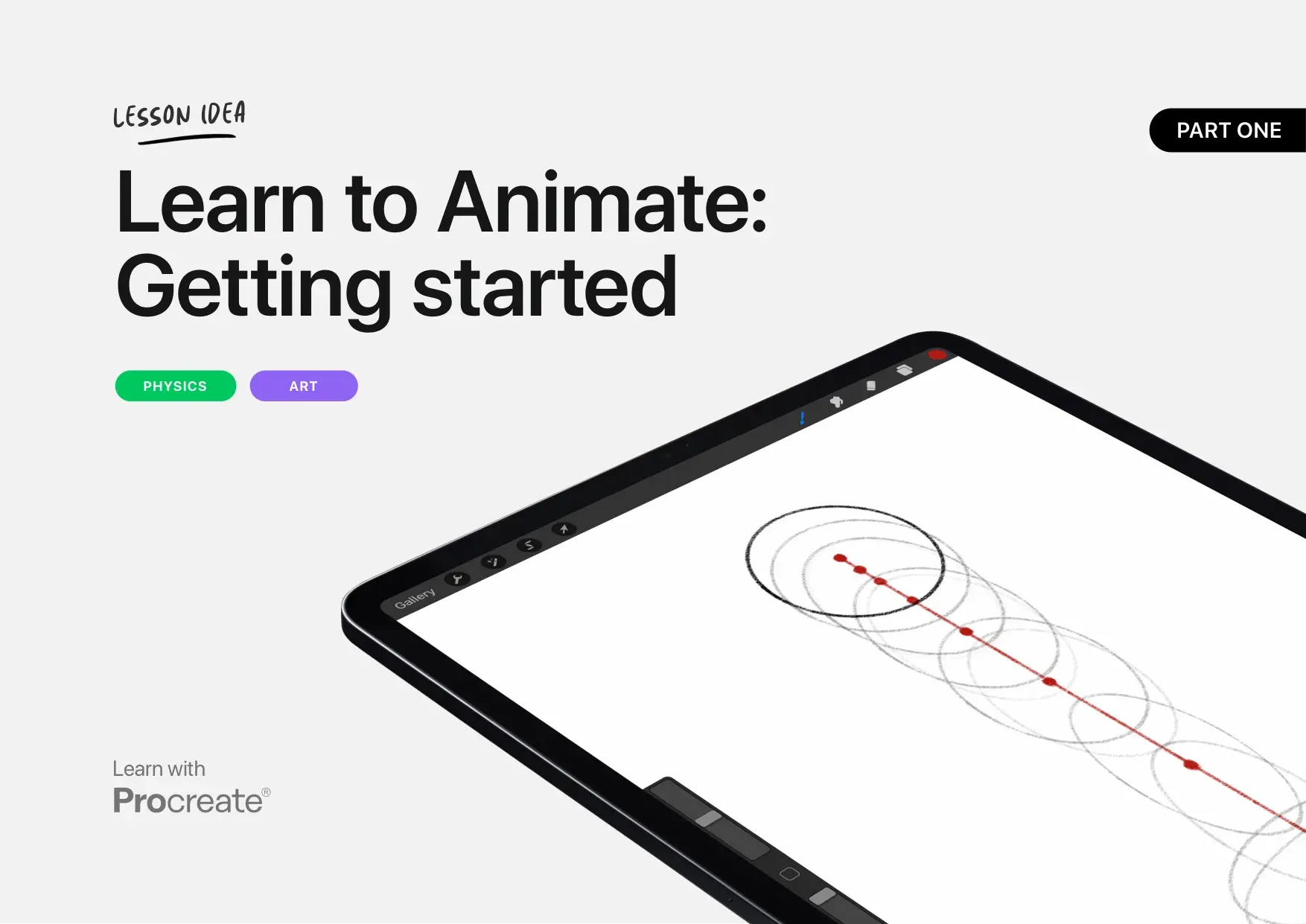
Learn to Animate: Getting Started is a Procreate lesson idea from Physics Art. It offers a simple introduction to animation for educators and first-time animators. This digital PDF is available for instant download.
The lesson focuses on creating a bouncing ball animation to explore how physics affects objects. With step-by-step instructions, it covers essential animation concepts in a clear and practical way.
Book Overview
This 14-page PDF lesson idea is part of a series designed for classroom use. It shows how to use Procreate’s animation tools to create simple animations. The material guides readers through setting up Animation Assist, drawing a guide line, and building a sequence of frames.
Created by Physics Art, this resource encourages students to combine art and physics. It explains how timing, squash and stretch, and volume shape a believable bouncing ball animation.
What You’ll Discover Inside
- Animation basics using Procreate’s easy-to-use tools
- How to create a bouncing ball animation
- Understanding timing, gravity, and frame spacing
- Using squash and stretch while preserving volume
- Setting up Animation Assist and background layers
- Drawing a perfect circle with QuickShape and editing with Transform
- Building a 16-frame animation for smooth motion
Why This Book Matters
This lesson idea makes physics visible through animation. By drawing a bouncing ball, students see how gravity affects motion and speed. The activity is a practical way to connect classroom physics with visual art.
It also encourages creativity and confidence with digital tools. The instructions are simple enough for first-time animators to follow.
Book Details
| Author | Physics Art |
|---|---|
| Format | |
| File Size | 5.2 MB |
| Pages | 14 |
| Language | English |
| File Size (Bytes) | 5434214 |
Device Compatibility
This is a digital download, so there is no physical shipping. You will receive access to the file after purchase. The PDF works with appropriate reading apps on Kindle devices, tablets, desktops, and mobile phones.
You can view it on your iPad while following the Procreate steps. The file is simple to download and store on your device.
FAQ
How do I get the file after purchase?
After your purchase, you will receive an instant download link. No physical item will be sent.
Can I use this lesson on any device?
The PDF can be opened on compatible Kindle apps, tablets, desktop computers, and mobile devices.
Do I need Procreate to use this file?
The lesson uses Procreate on an iPad, but you can read and follow the PDF on any compatible device.
This resource is ready to help you and your students bring animation into the classroom. Download it today and start exploring the basics of animation.
Verified Bibliographic Details
| Title | Learn to Animate: Getting Started |
|---|---|
| Page Count | 14 |
| File Type | |
| File Size Bytes | 5434214 |
User Reviews
Only logged in customers who have purchased this product may leave a review.
Learn to Animate: Adding Character
Sold by Physics Art Original price was: $5.00.$2.50Current price is: $2.50.
There are no reviews yet.